


Advanced Frontend Search Option
Now you can search your preferred documentation fast and smoothly through the advanced search option of weDocs. In our last release, we have added this feature.
- weDocs
- Updated Jan 3, 2024
- 1 min read

Now you can search your preferred documentation fast and smoothly through the advanced search option of weDocs. In our last release, we have added this feature.
Previously, the individual documentation posts on weDocs did not include any filter or search options. However, going forward, an advanced Ajax search option will be available on each documentation post. This will allow you to easily locate the post you need by typing in keywords and quickly navigating to it.
Let’s see how the feature works!
Well, this feature is available in both the free and premium versions of weDocs.
Now, head over to the main documentation page. Click on any documentation post.
Note: By the way, you’ll still get a default search box on the main documentation page. But for a quick search, you can use this feature.
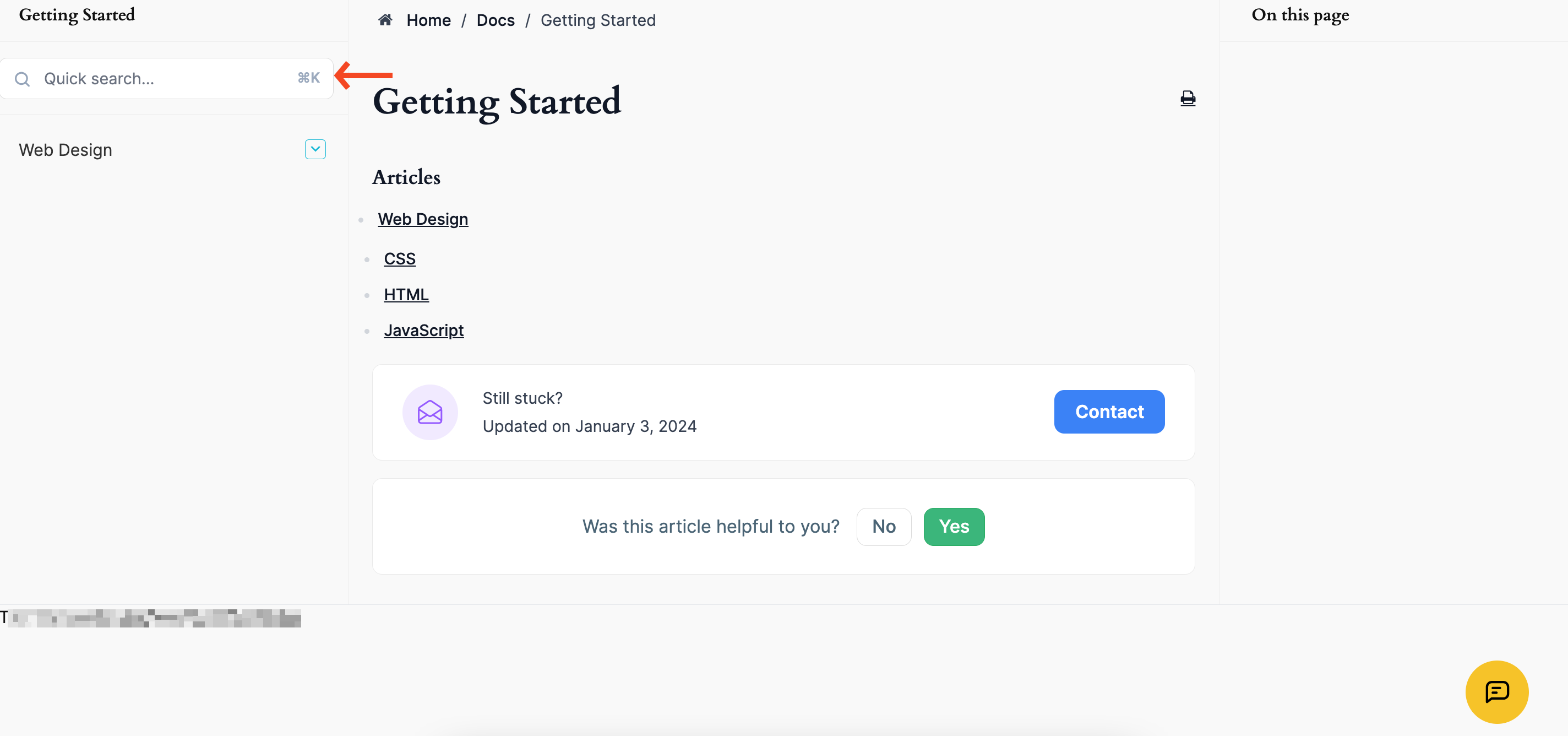
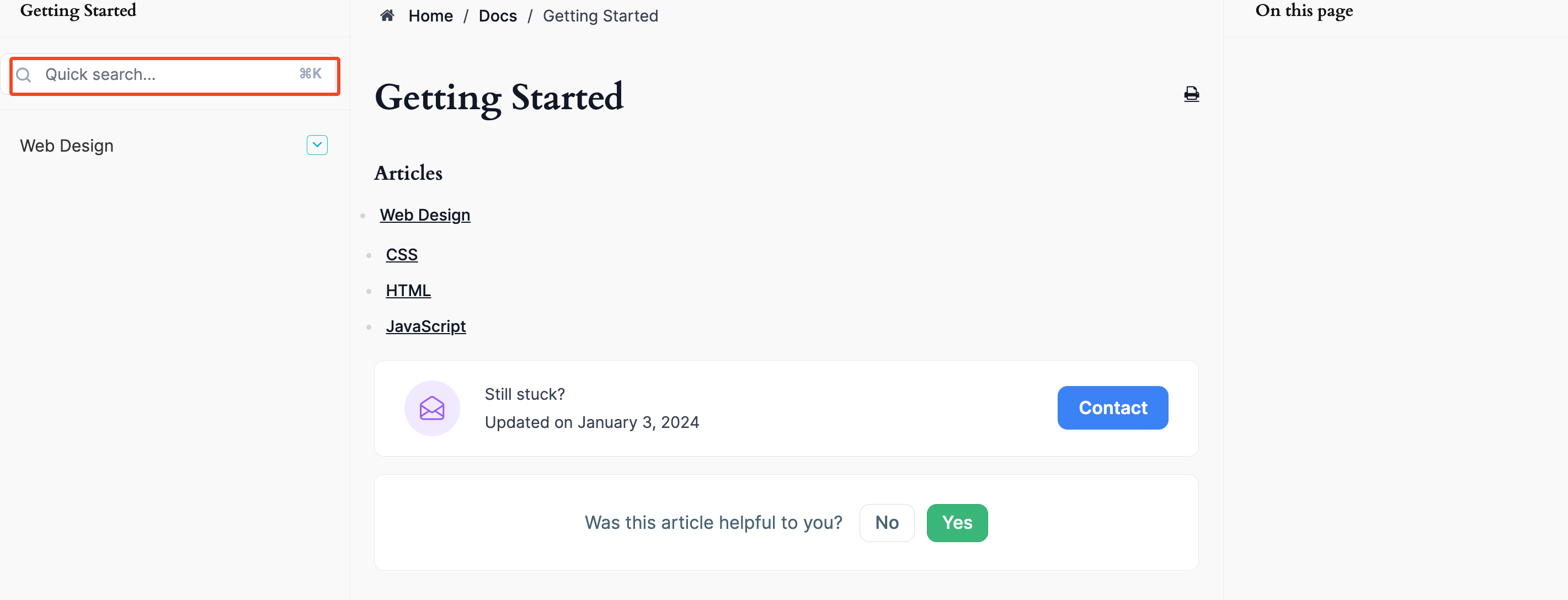
Here, either you can directly click on the search bar or you can press (Command+K) on Mac or (Crtl+K) on Windows.
A quick search window will open. Just type your preferred documentation or the keyword on your mind. It will appear here.
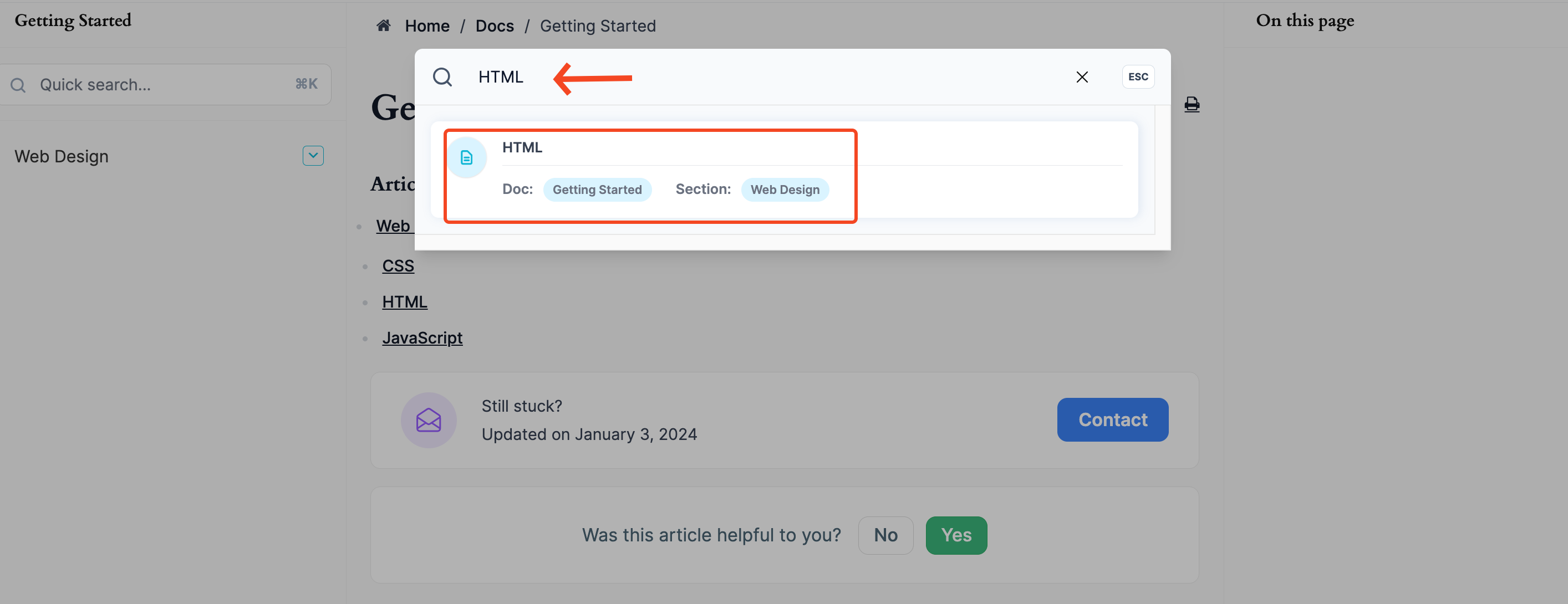
So, this is how the quick search option works.
Last updated on
Filed under Tutorials
Our support team can walk you through it.