


How to delete a section in weDocs
Here in this guide, we'll show how to delete a section from your WordPress docs plugin. Check it out now for more details!
- weDocs
- Updated Aug 14, 2023
- 1 min read

Here in this guide, we'll show how to delete a section from your WordPress docs plugin. Check it out now for more details!
Deleting a section in the WordPress docs plugin is similar to deleting documentation. If you have read the guide on how to delete documentation in weDocs, then this will be easier for you to understand.
Let’s do it now!
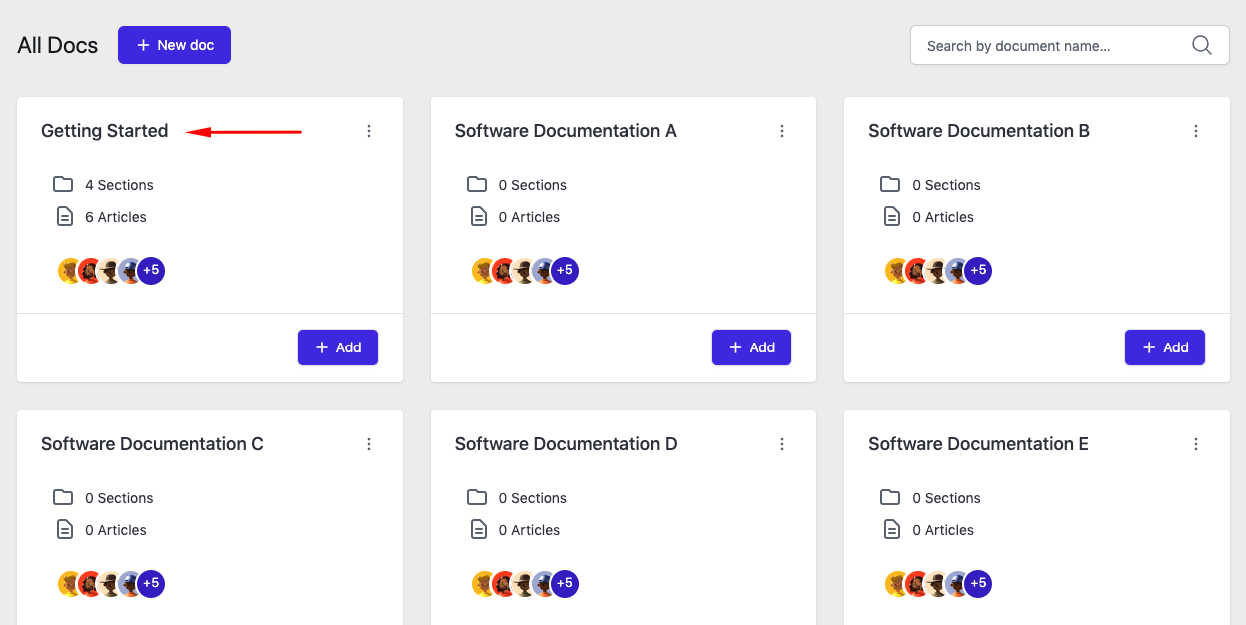
To delete a section from documentation, click any of the documentation that you like.
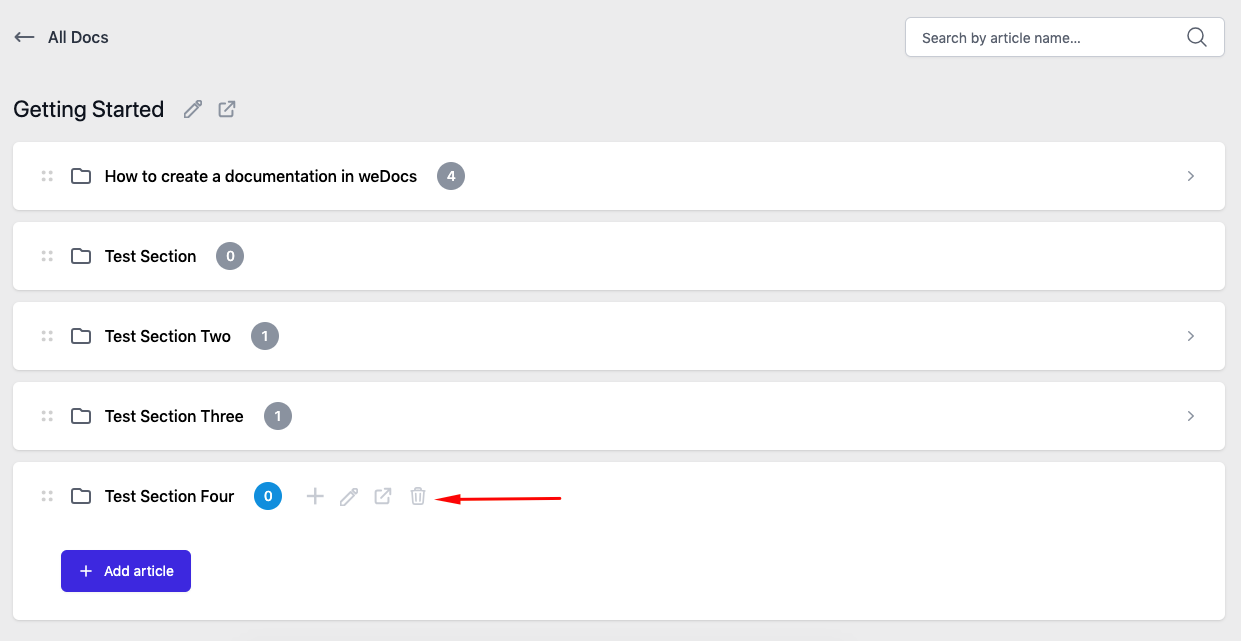
After that, hover your mouse cursor and you’ll see the “trash” button will appear.
Just click on the “I’m sure” and here you go. Your section will be deleted.
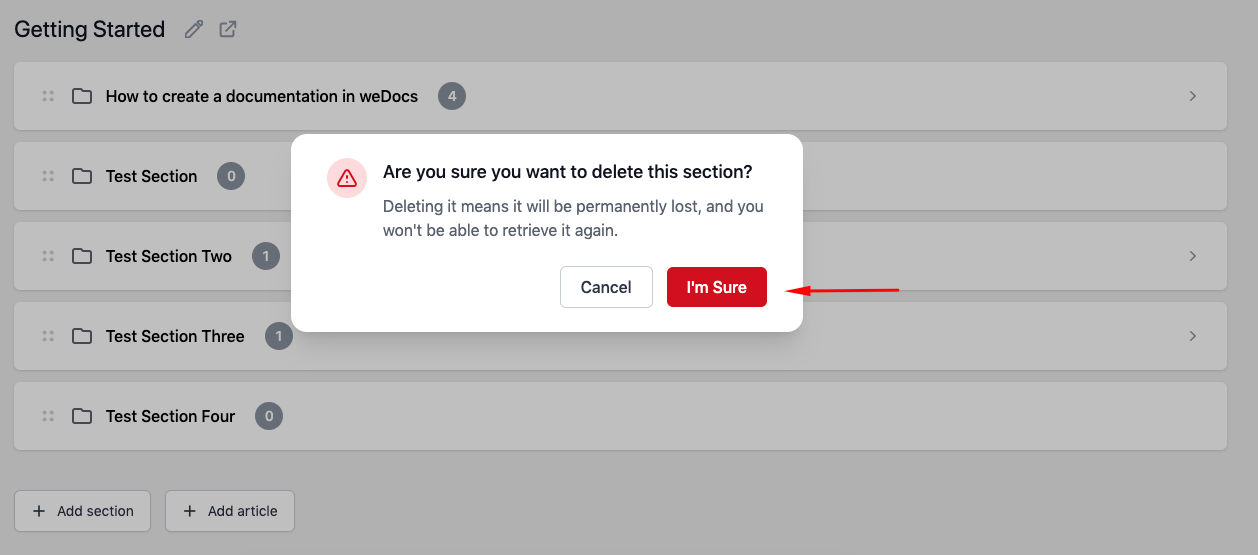
After you do this, your section will be deleted from the list. So this is how you can easily delete a section using weDocs.
Last updated on
Filed under Tutorials
Our support team can walk you through it.