


How to delete documentation in weDocs
This documentation will discuss how you can easily delete a documentation while using weDocs. Check out how to do it smartly!
- weDocs
- Updated Nov 11, 2025
- 1 min read

This documentation will discuss how you can easily delete a documentation while using weDocs. Check out how to do it smartly!
The way you create documentation using the weDocs, you can easily delete documentation. If you don’t know how to create documentation with the WordPress docs plugin, check out the tutorial here.
To delete the whole documentation, click on the three dots icon. And you can see the “delete” option.
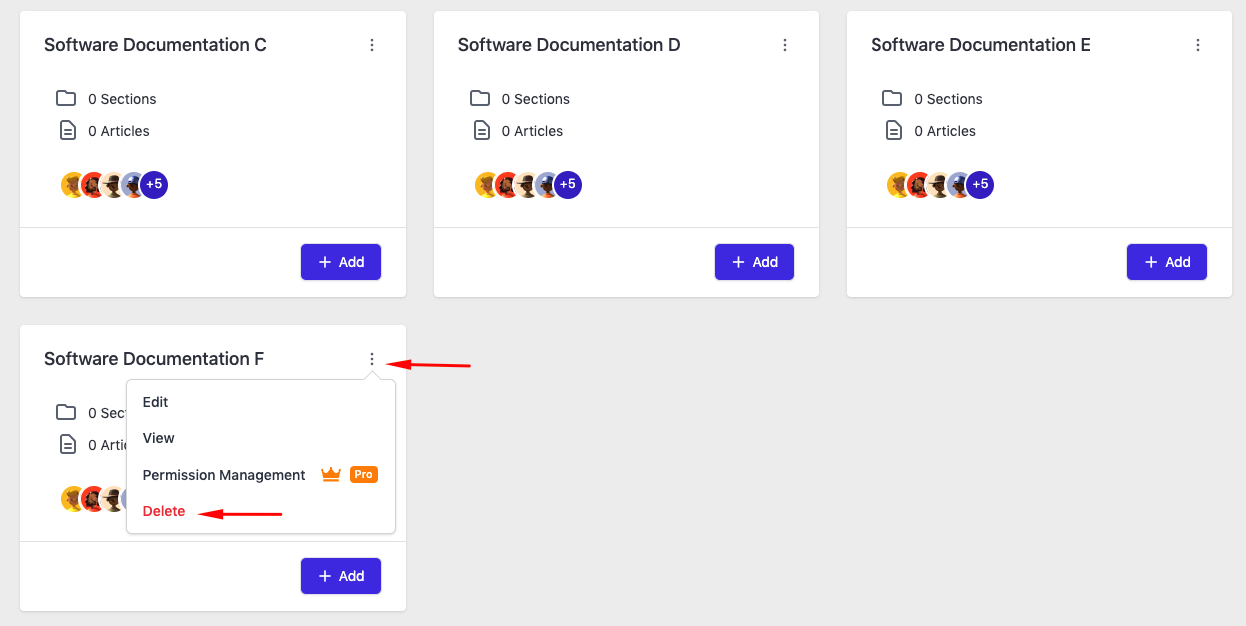
Just click on it and you’ll get a window. Then click on the “I’m Sure“.
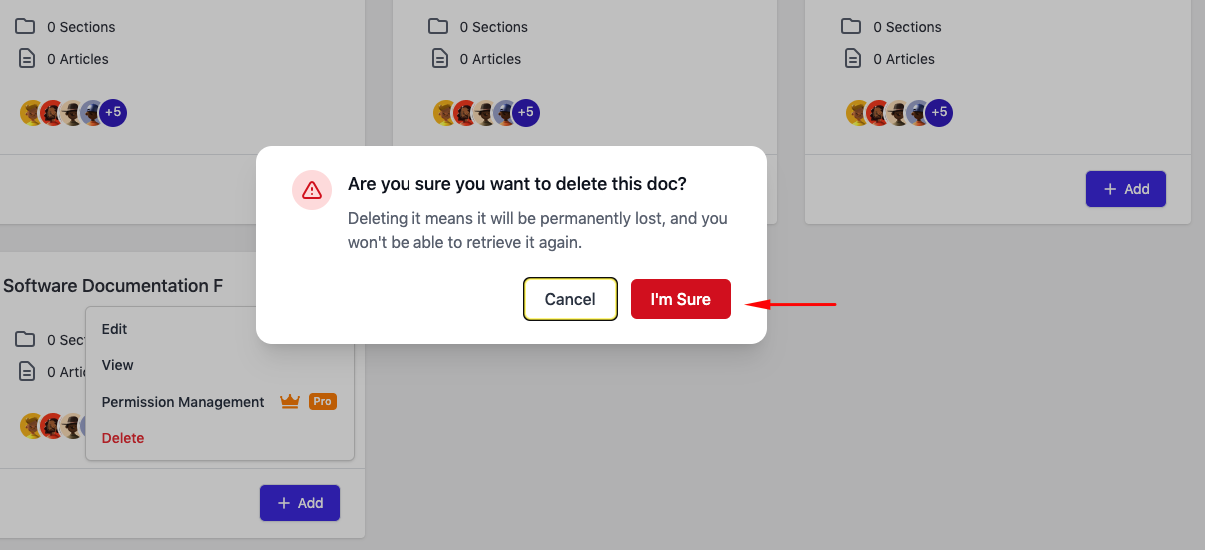
After you do this, your preferred documentation will be deleted from the list.
Last updated on
Filed under Tutorials
Our support team can walk you through it.