


FAQ Feature
Learn how to create FAQ groups in weDocs, add questions and answers, and place them on any page with a shortcode. Free in weDocs.
- weDocs
- Updated Sep 17, 2026
- 5 min read

Learn how to create FAQ groups in weDocs, add questions and answers, and place them on any page with a shortcode. Free in weDocs.
The FAQ feature in weDocs lets you build grouped question and answer sections and place them anywhere on your site with a shortcode. It is available in the free version of weDocs.
You create groups, add questions inside each group, then drop one shortcode into any page or post. The front end renders everything as an accordion, so visitors expand only the answer they need.
From your WordPress dashboard, go to weDocs > FAQ.
If you have not created anything yet, you see an empty state with a short prompt and a Create a new FAQ group button in the middle of the screen. A New FAQ Group button also sits at the top of the page next to the All FAQs heading. Both buttons do the same thing.
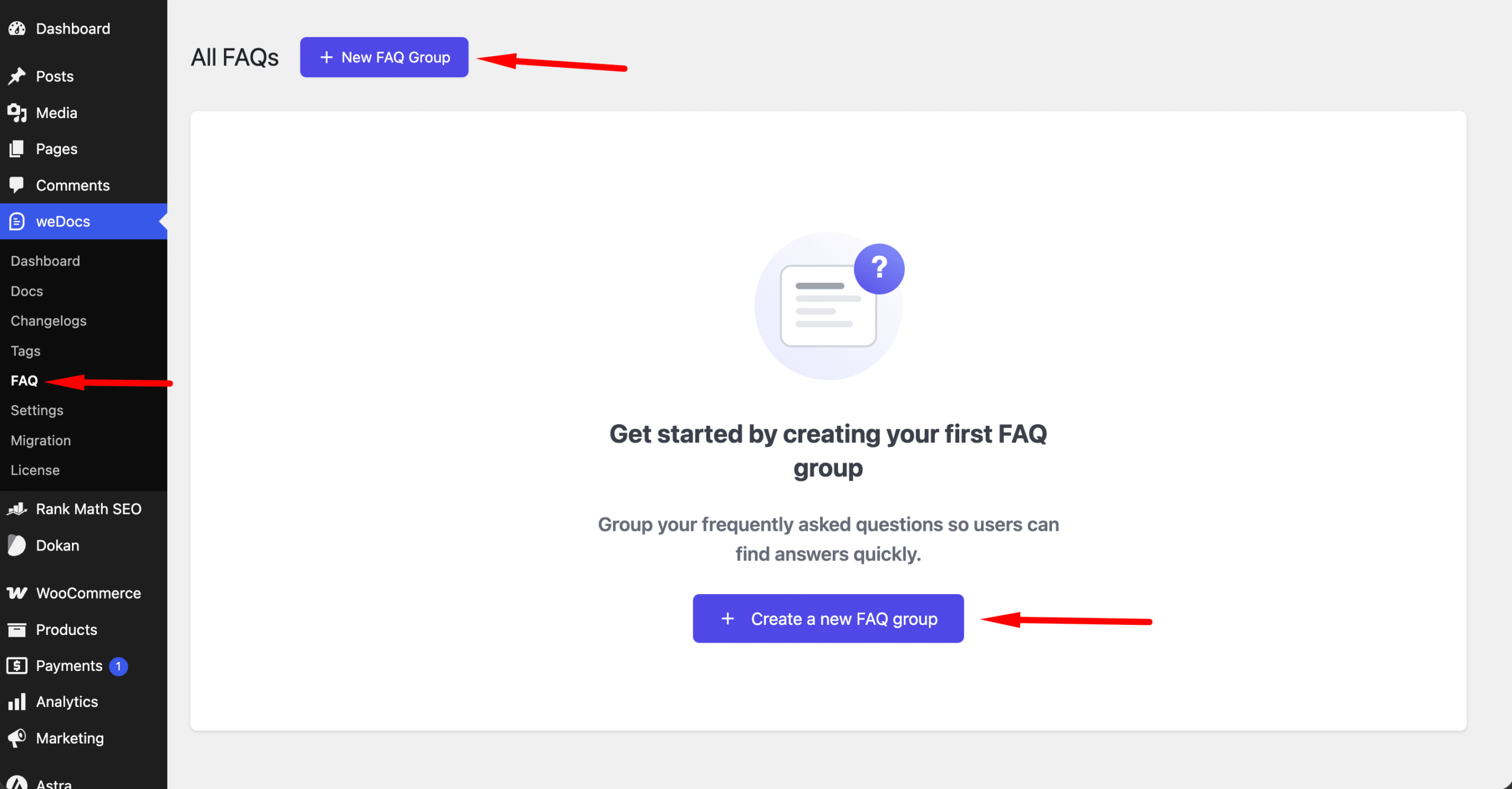
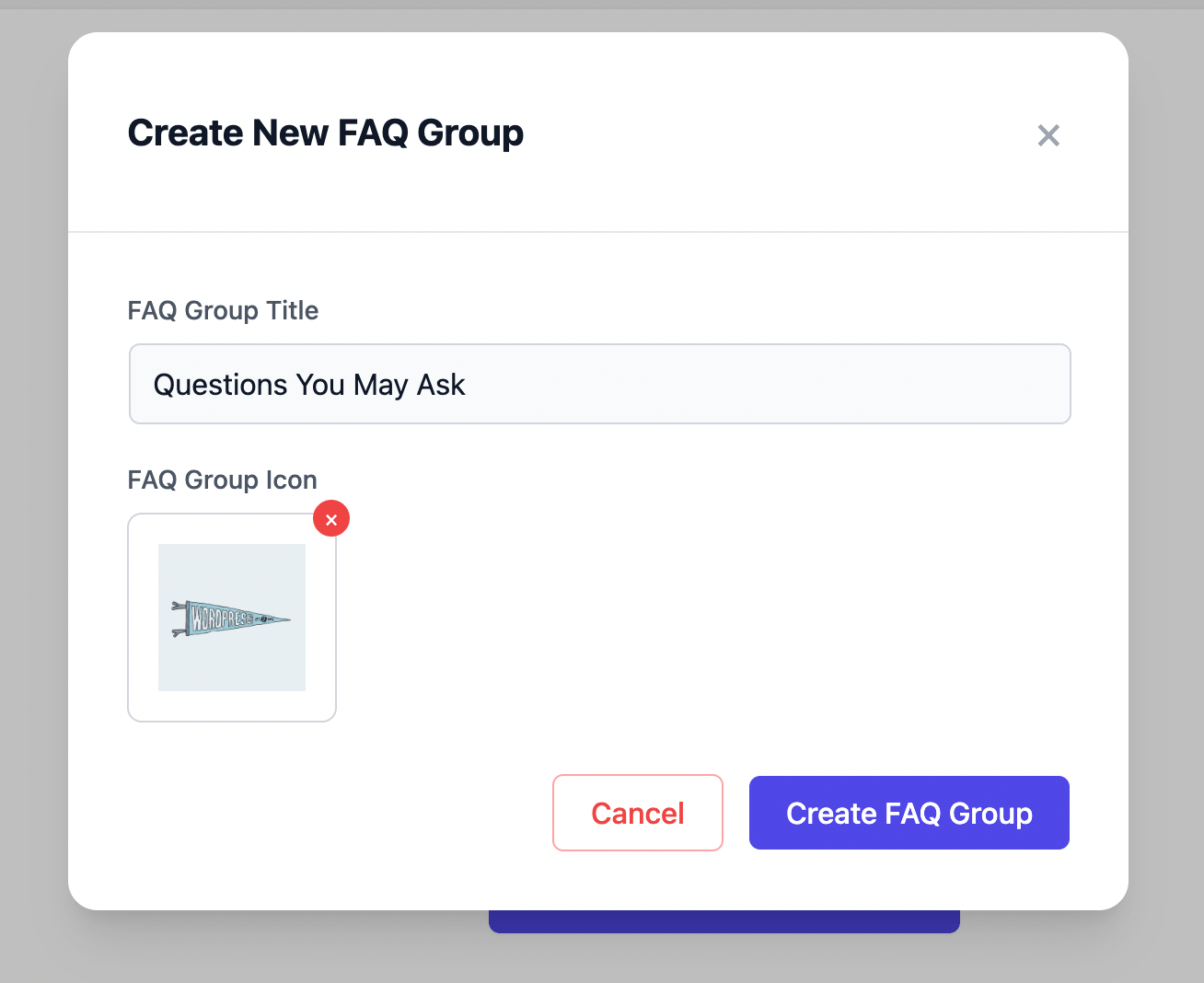
Click either button and the Create New FAQ Group window opens. It has two fields.
Click Create FAQ Group to save, or Cancel to close without saving.
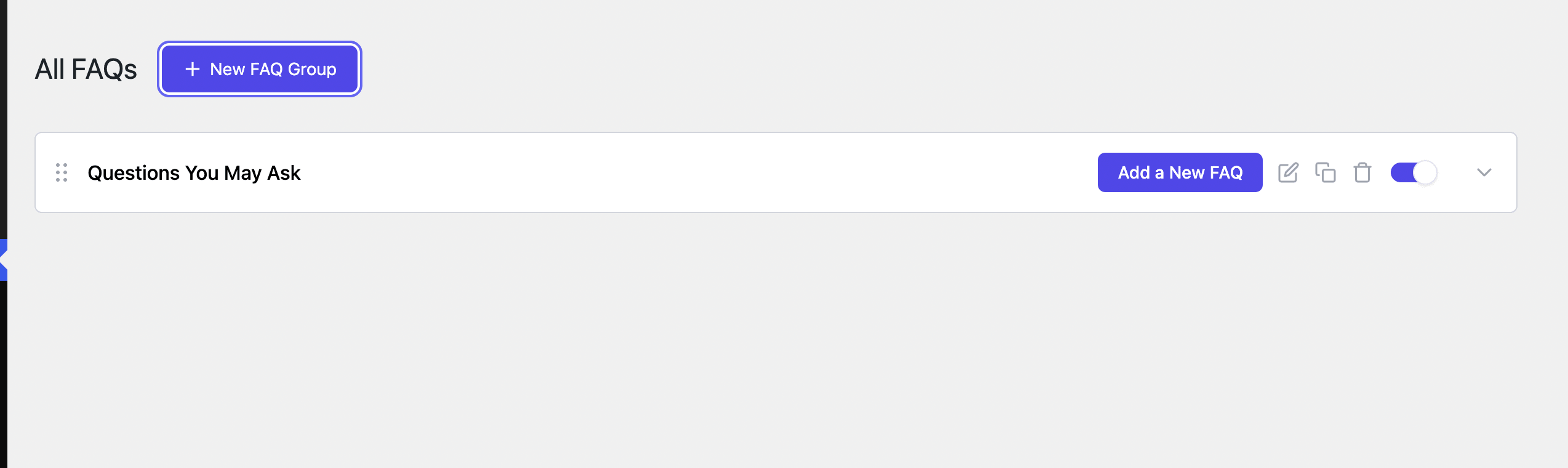
Your new group now appears in the All FAQs list as a single row.
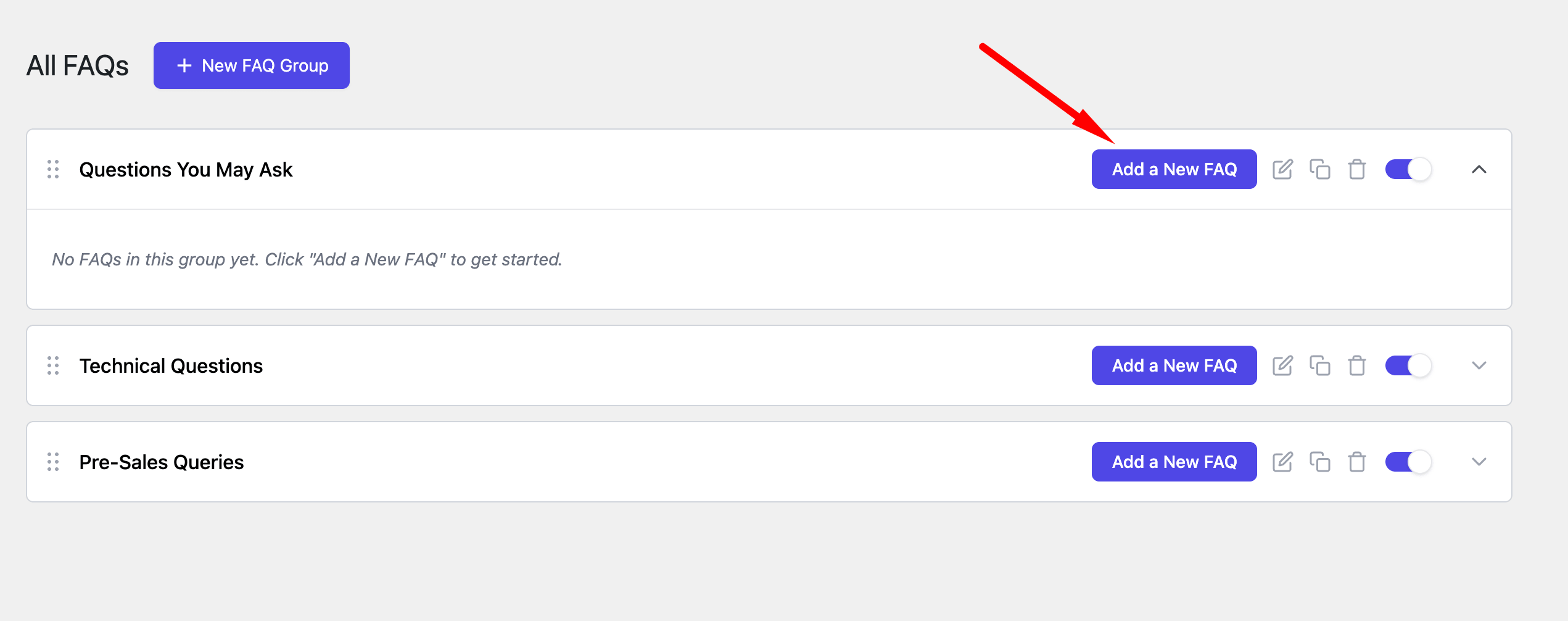
Click Add a New FAQ on the group row. An empty group shows a reminder that reads No FAQs in this group yet until you add the first one.
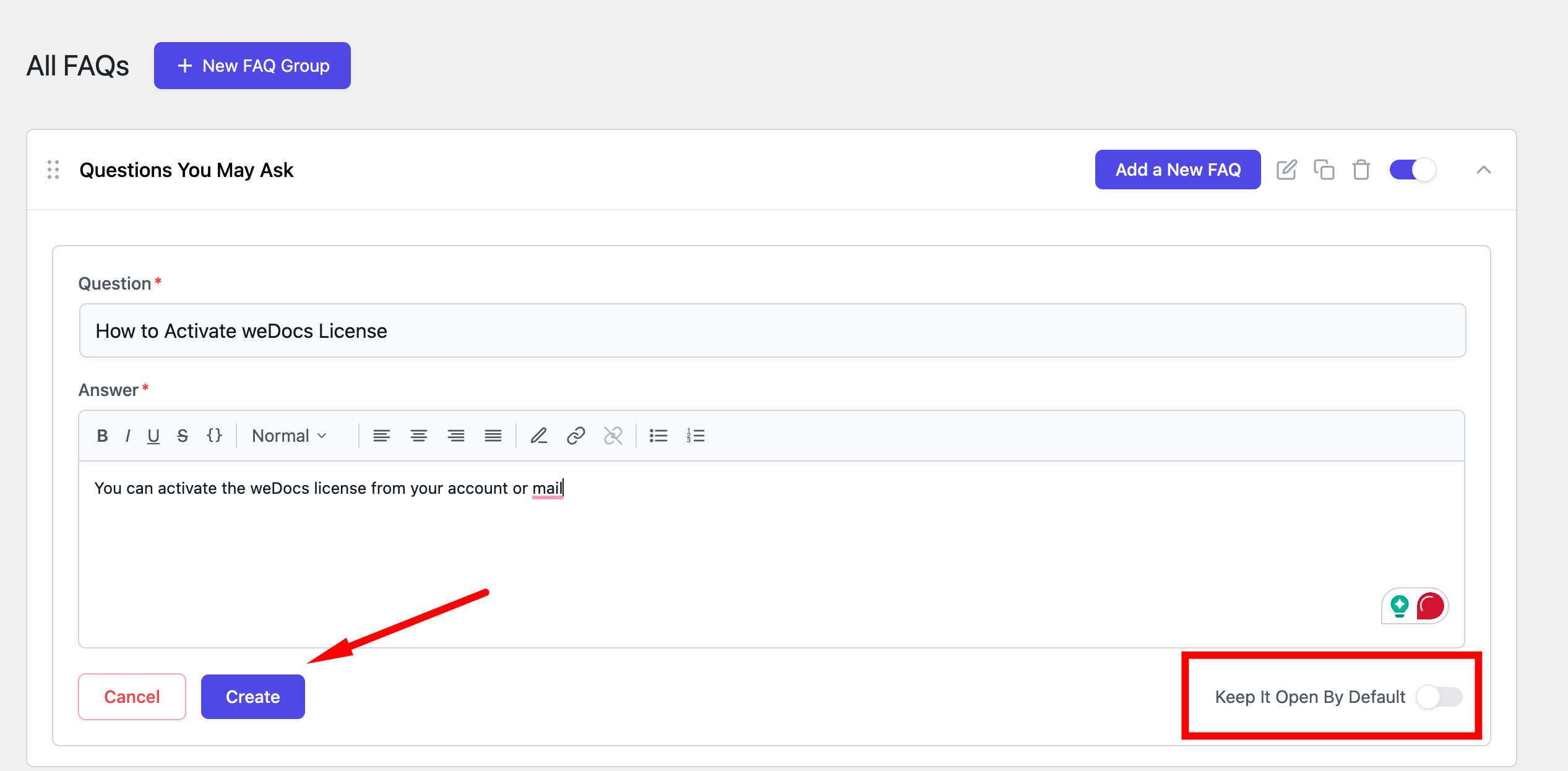
The question form opens inside the group. Fill in both required fields.
A Keep It Open By Default toggle sits at the bottom right of the form. Switch it on when you want this answer expanded as soon as the page loads. Leave it off and the question starts collapsed.
Click Create to save the question.
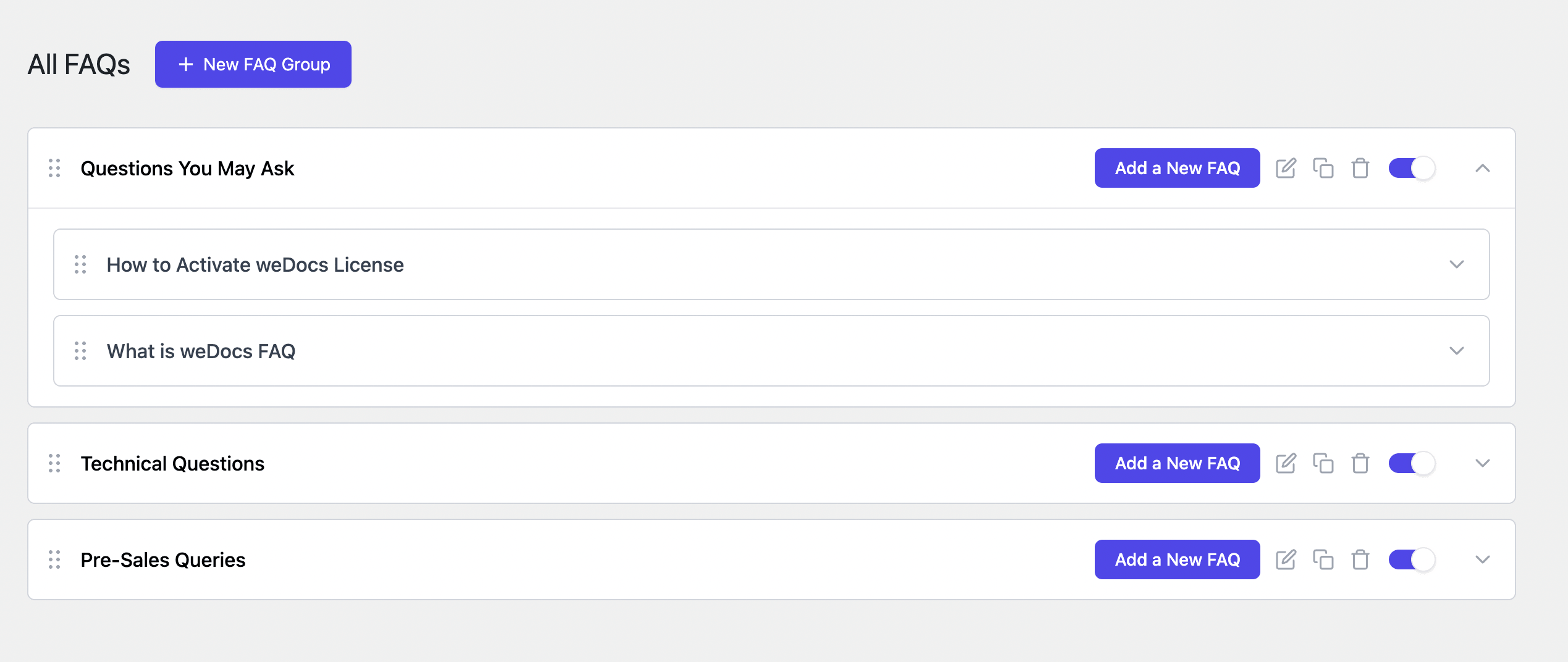
Repeat for every question you want in the group. Saved questions stack inside the group, each with its own drag handle and expand arrow.
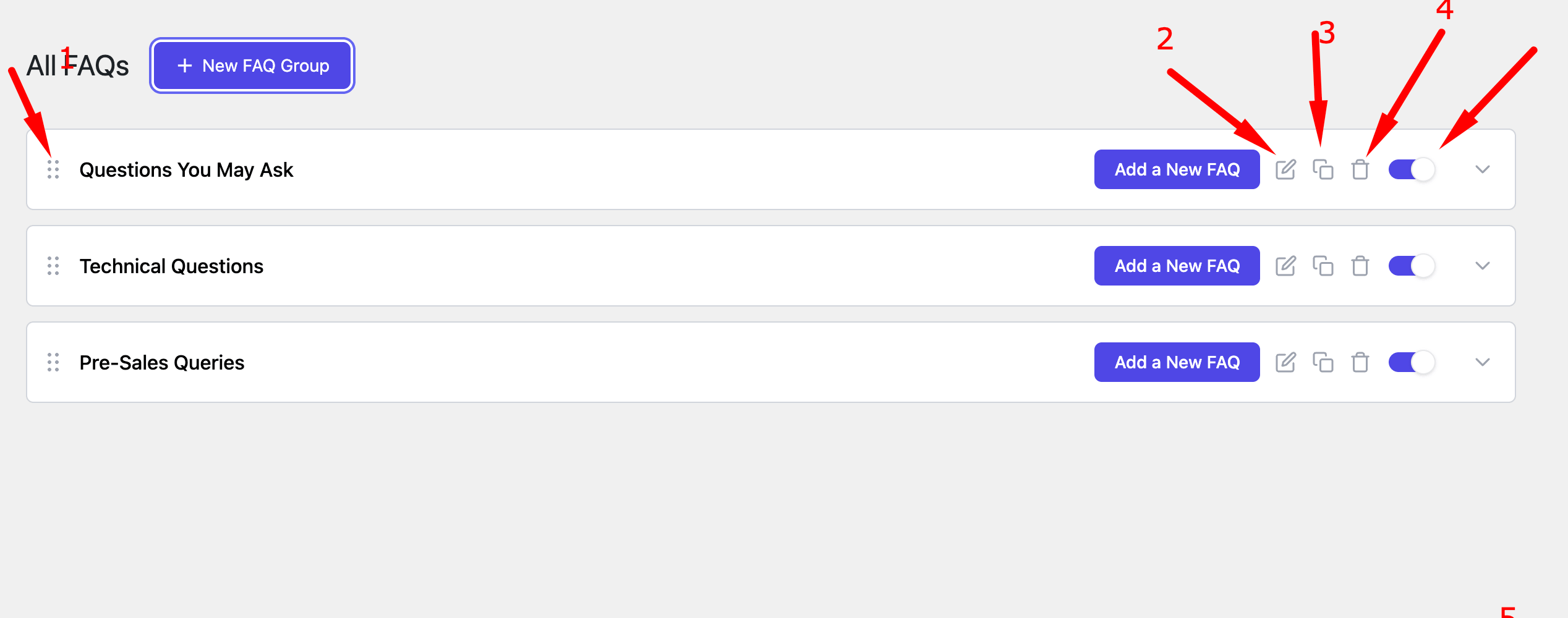
Every group row carries the same set of controls, running from left to right.
Go to weDocs > Settings and open the Shortcodes tab. Find the card marked FAQ Section, which is labelled Free.
The default shortcode is
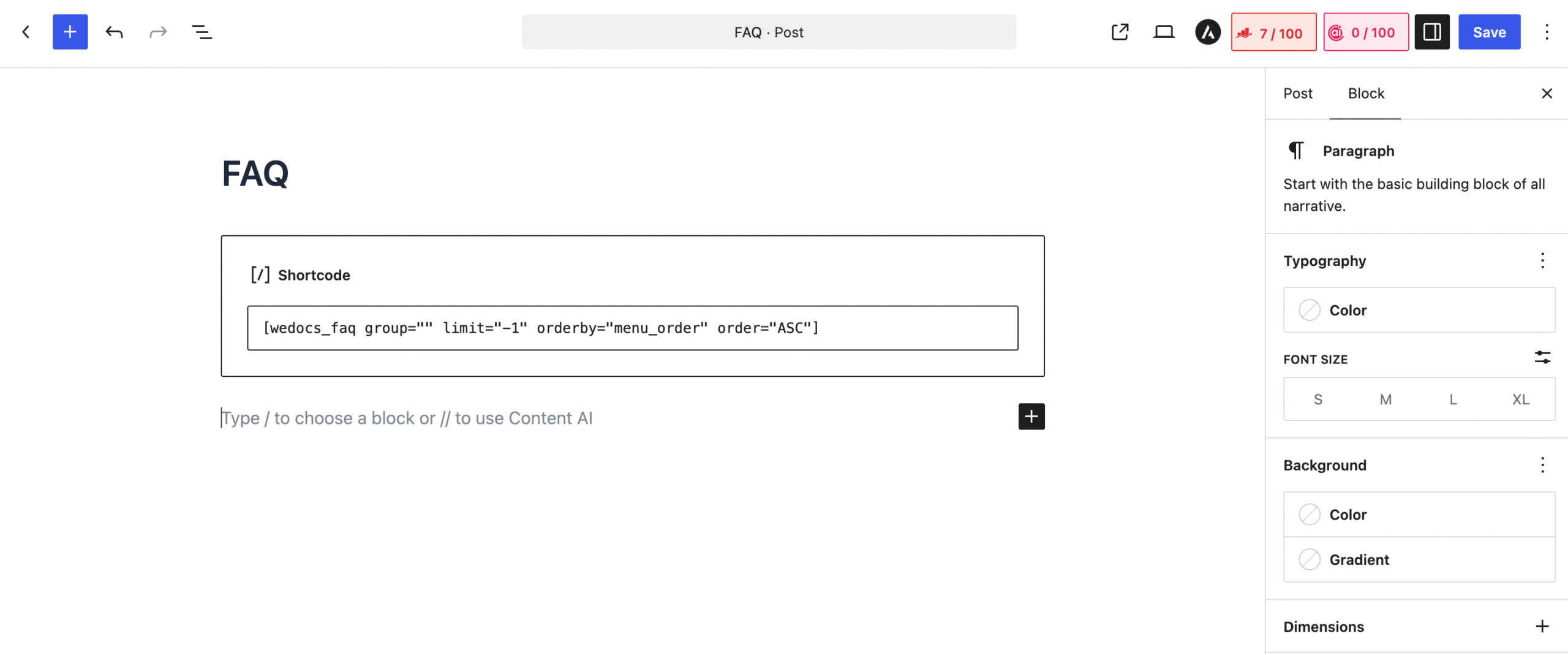
[wedocs_faq group="" limit="-1" orderby="menu_order" order="ASC"]Click the copy icon on the right of the field to copy it. Every attribute is optional, so [wedocs_faq] on its own works too and shows all your active groups.
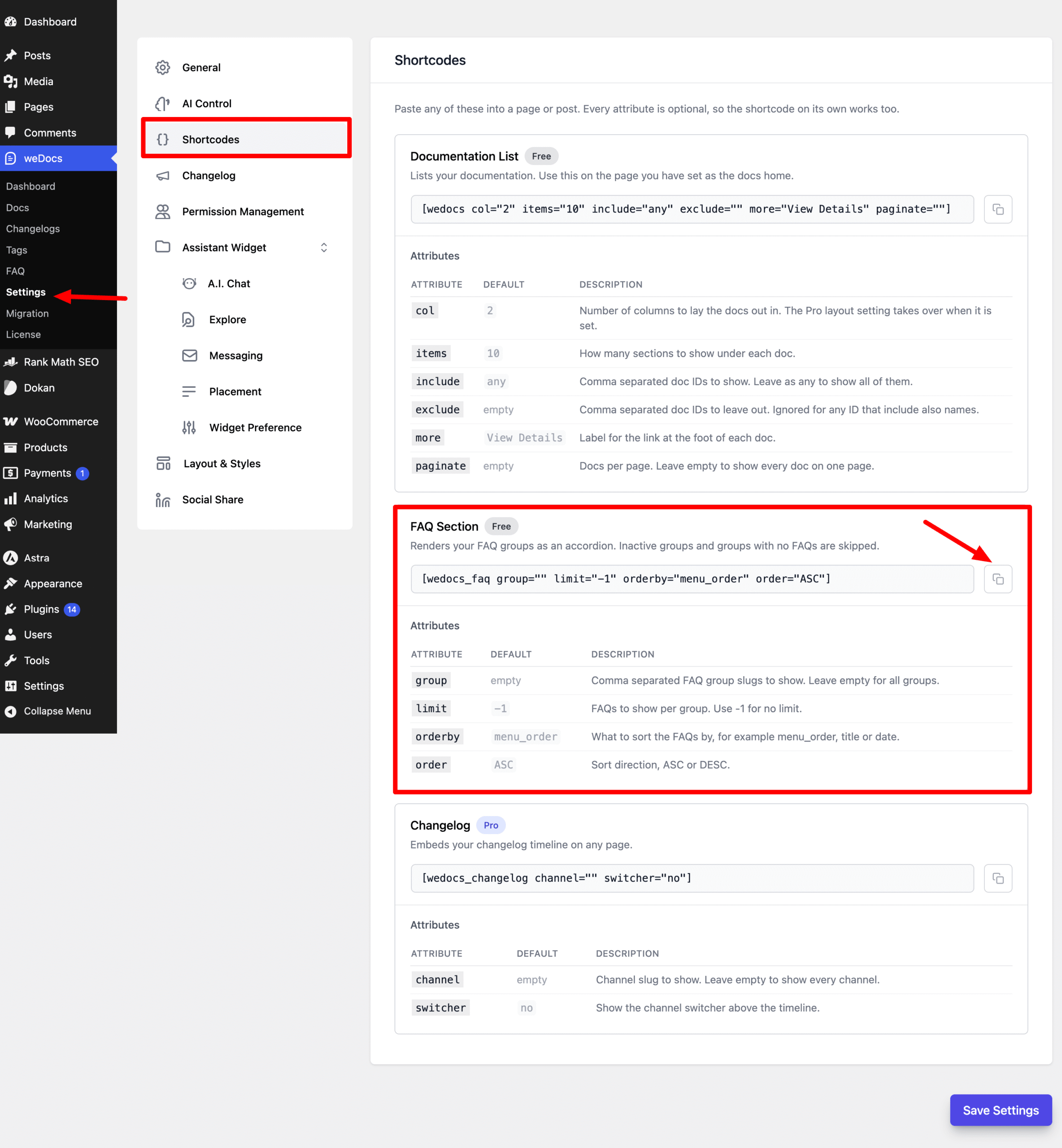
| Attribute | Default | What it does |
|---|---|---|
group | empty | Comma separated FAQ group slugs to show. Leave it empty to show every group. |
limit | -1 | How many FAQs to show per group. Use -1 for no limit. |
orderby | menu_order | What to sort the FAQs by, for example menu_order, title, or date. |
order | ASC | Sort direction, either ASC or DESC. |
Use menu_order when you want the order you set by dragging in the dashboard to carry through to the front end.
Open the page or post where the FAQ should appear. Add a Shortcode block, paste the shortcode into it, then save or update.
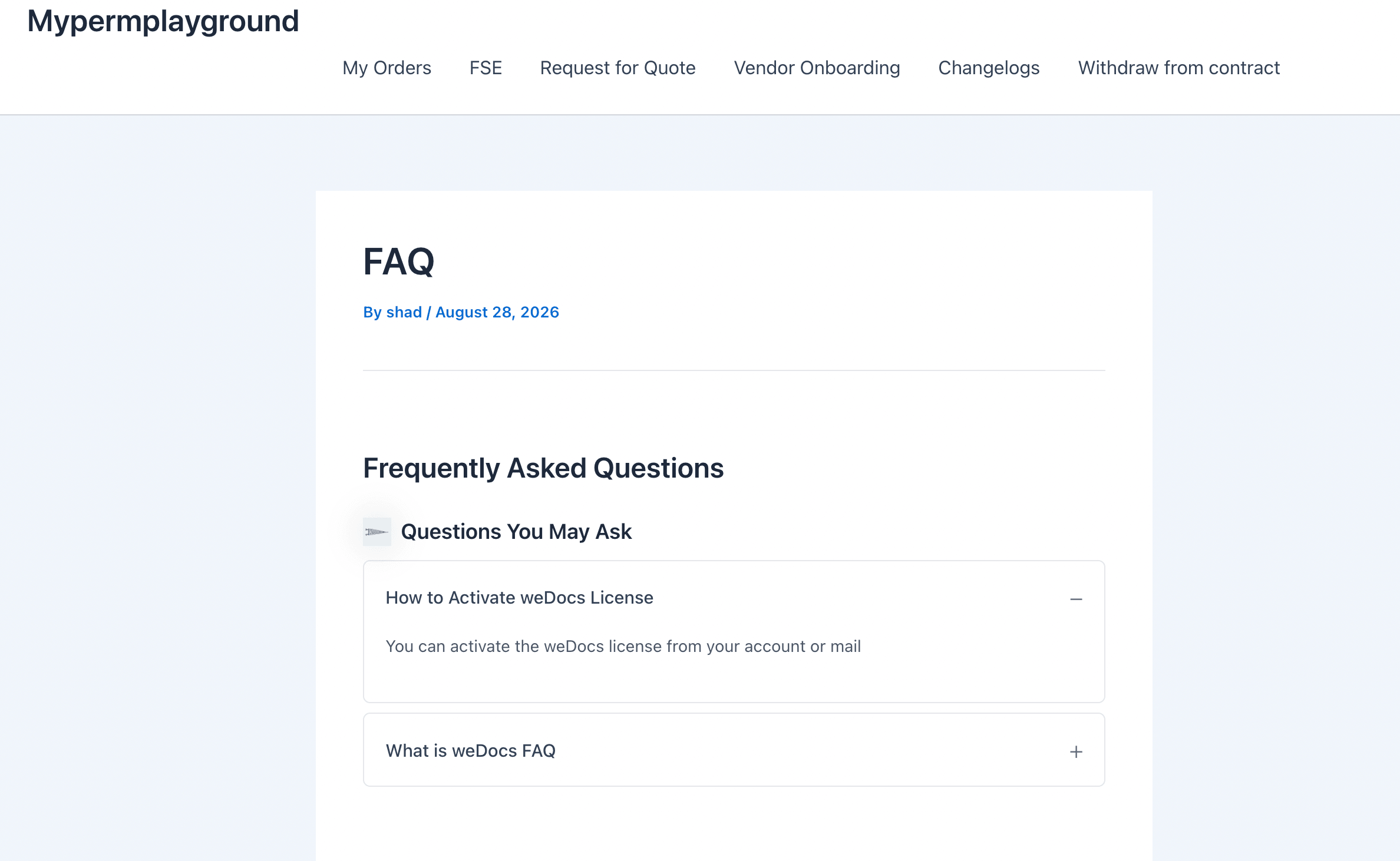
Visit the page to see the result. weDocs renders a Frequently Asked Questions heading, then each active group with its icon and title, then the questions as an accordion below it.
A question with Keep It Open By Default switched on shows its answer straight away and displays a minus sign. Every other question stays collapsed behind a plus sign until a visitor clicks it.
group values to show different sets of questions on different pages.Last updated on
Filed under weDocs
Our support team can walk you through it.