


Full Site Editing
Customize your weDocs documentation with full site editing using Gutenberg blocks. Match your brand, adjust layouts, and design flexible doc pages without coding.
- weDocs
- Updated Mar 30, 2026
- 2 min read

Customize your weDocs documentation with full site editing using Gutenberg blocks. Match your brand, adjust layouts, and design flexible doc pages without coding.
weDocs supports full site editing. That means users can use the weDocs Gutenberg blocks to customize their single doc page to match their site and design aesthetics. You will find many benefits, like-
Here is how you can use the FSE feature.
Note: Make sure you are using the Block themes to use this feature fully.
If you are using the classic themes, then don’t forget to enable the legacy templates from weDocs–> Settings–> General.
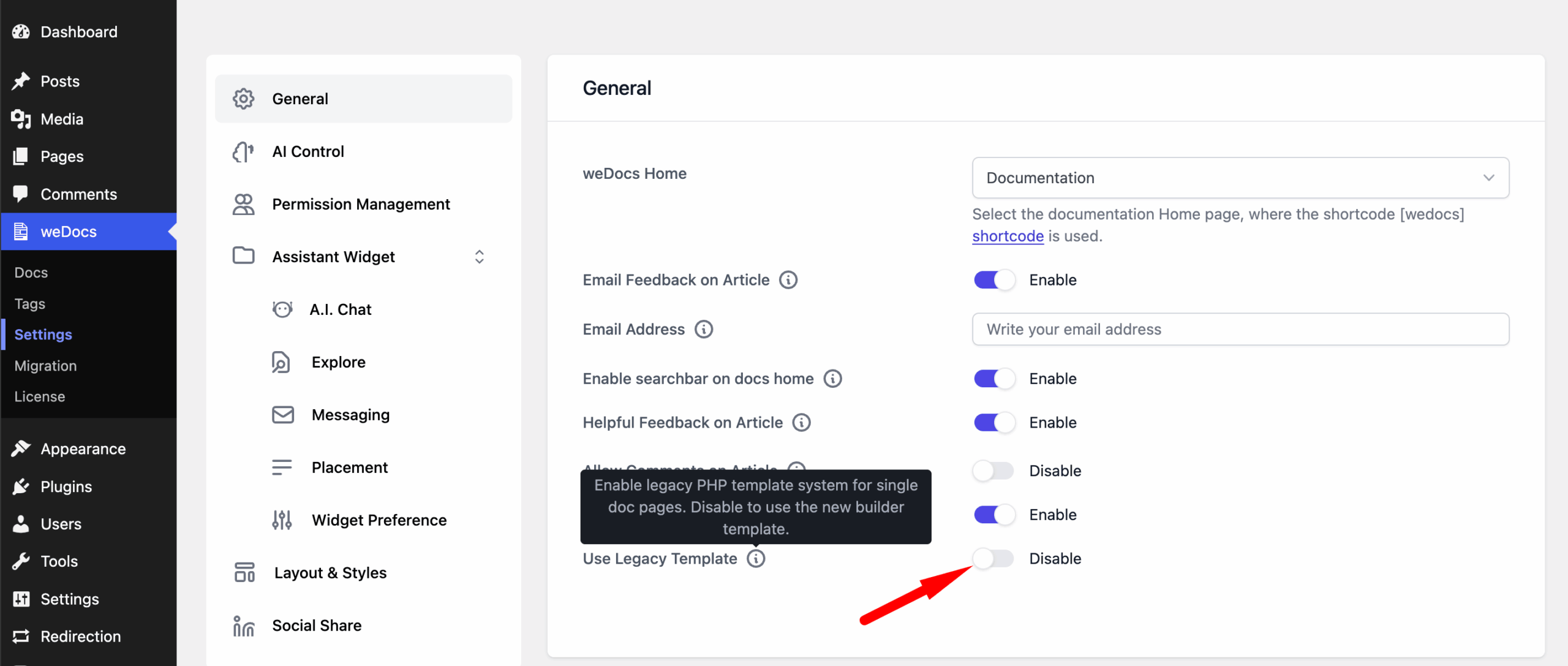
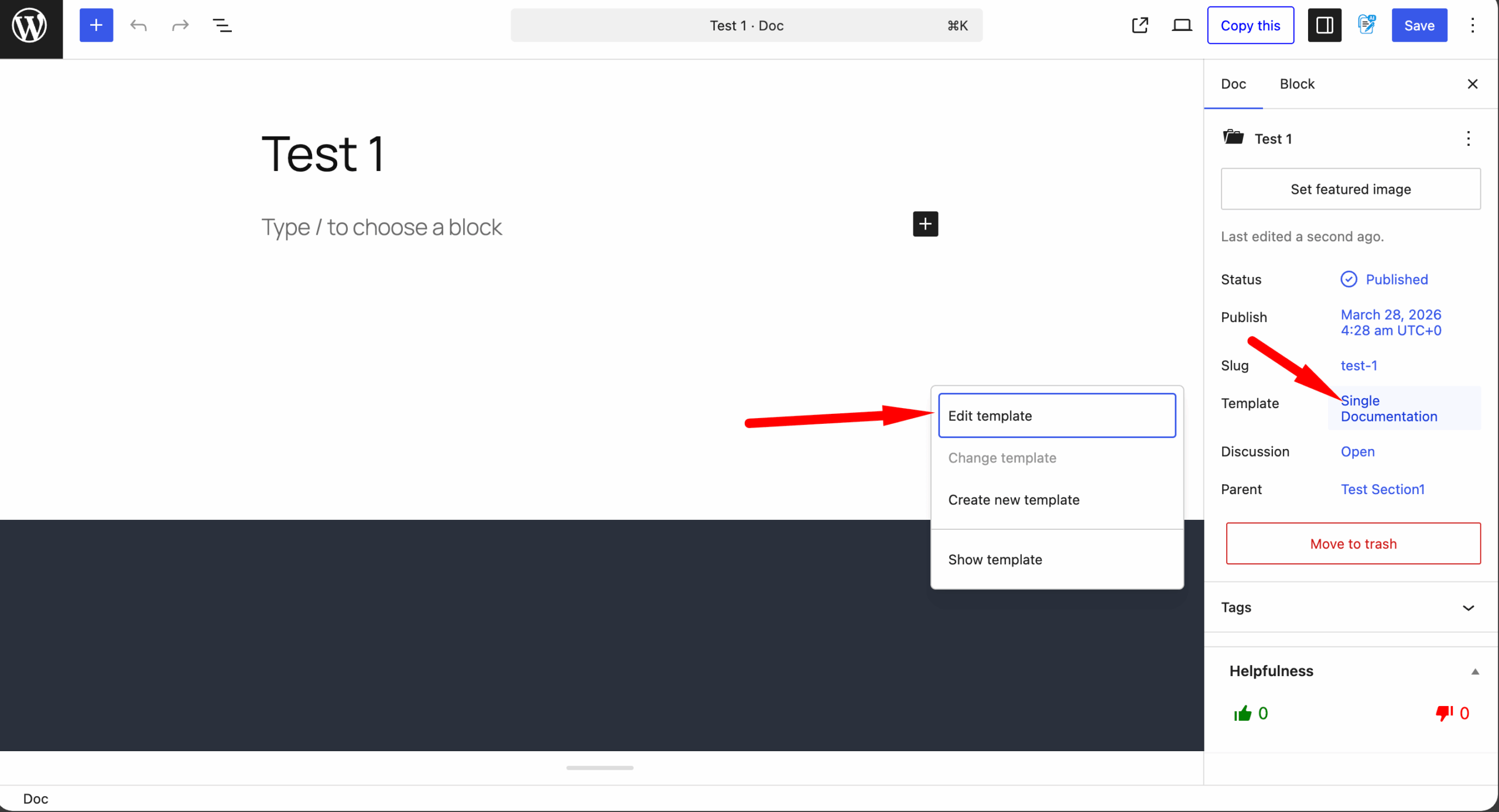
To use the Gutenberg blocks. Click on any of the single articles, and from the right-hand side of the menu, click on the Edit template option-
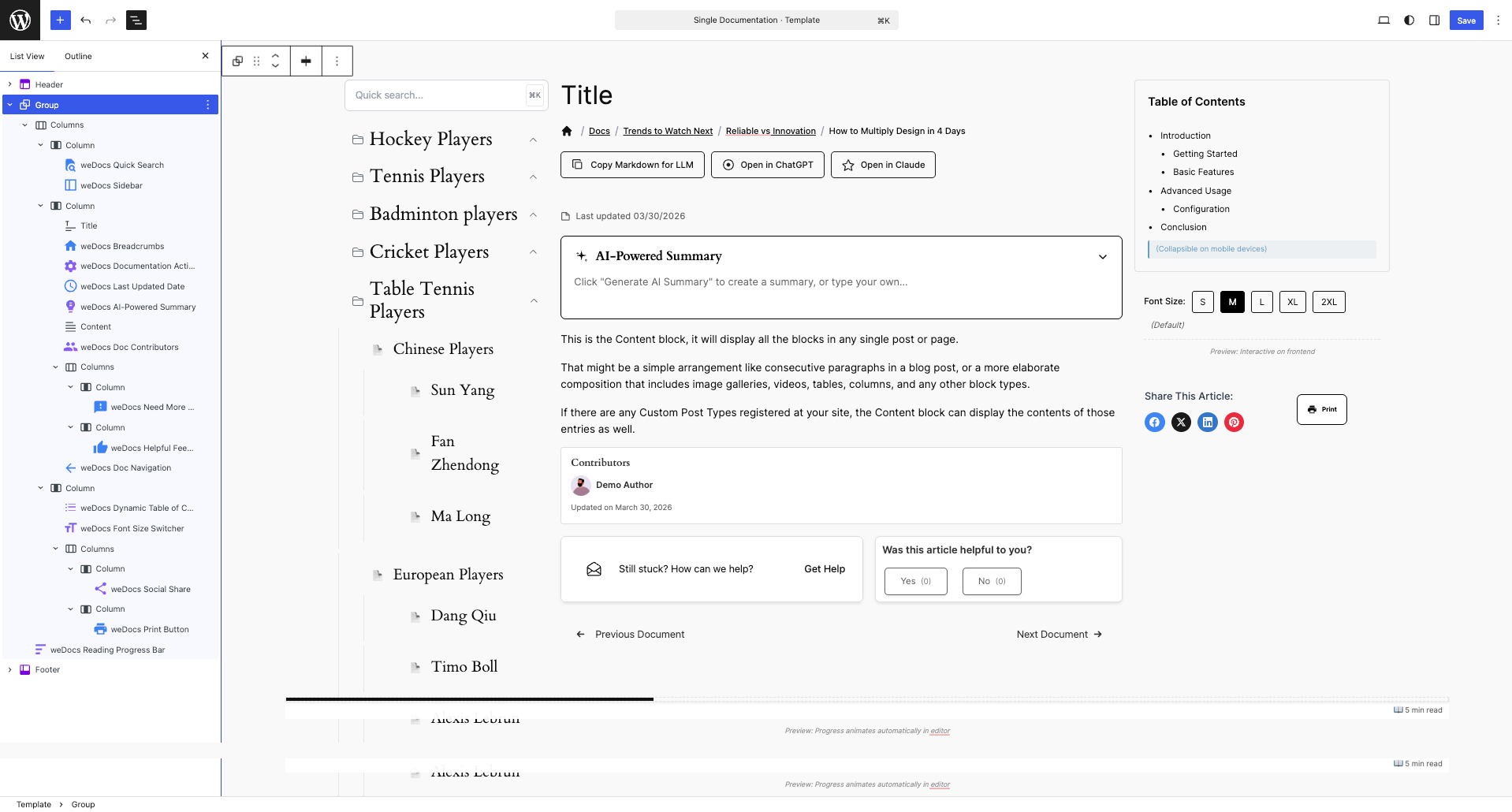
You will find yourself in the editing page. There is already a template loaded by default.
You can keep that as it is or you can use the list of weDocs Gutenberg blocks to customize how you like-
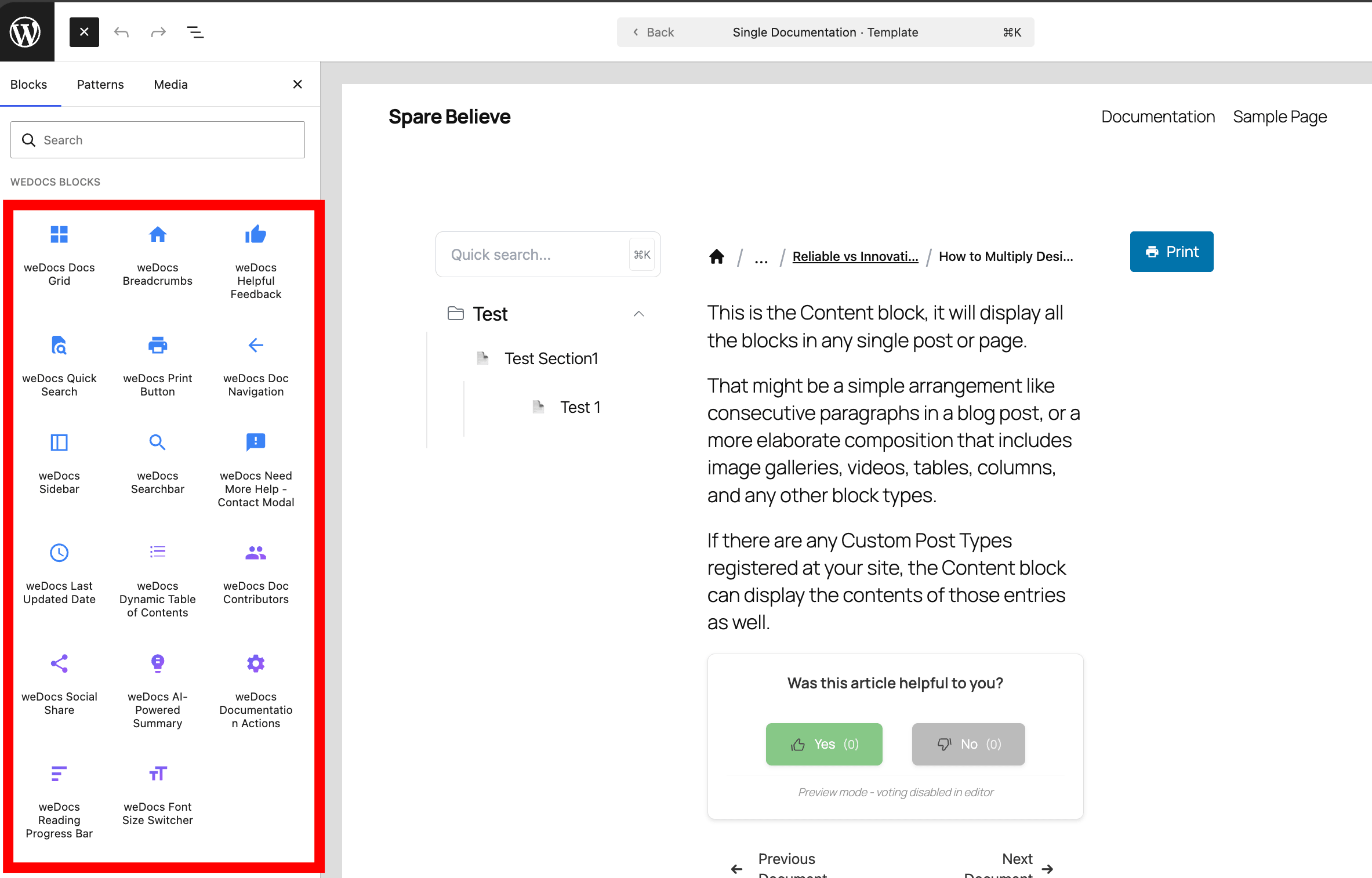
You can drag n drop the blocks anywhere you like-
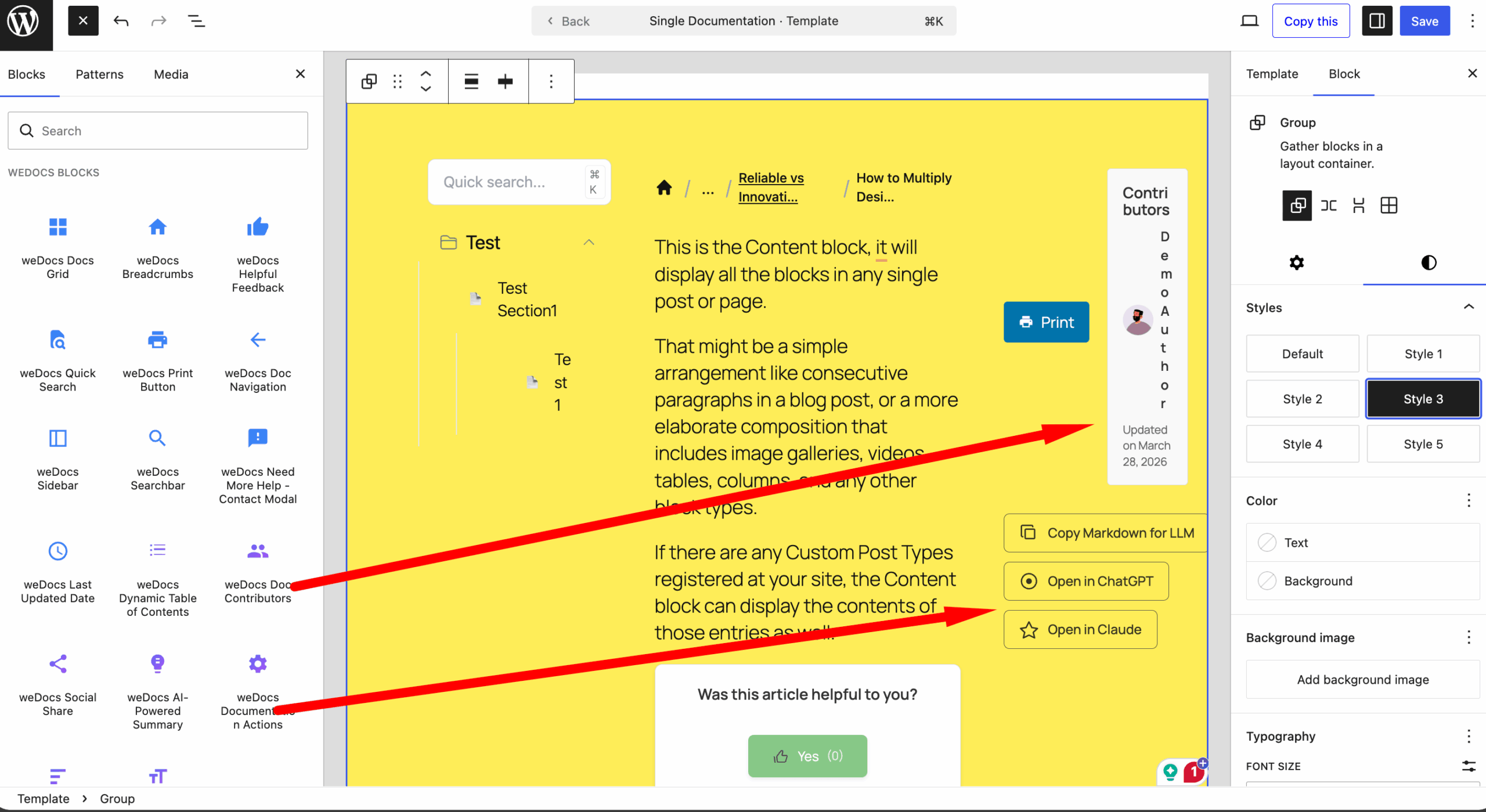
You can-
Here is the result-
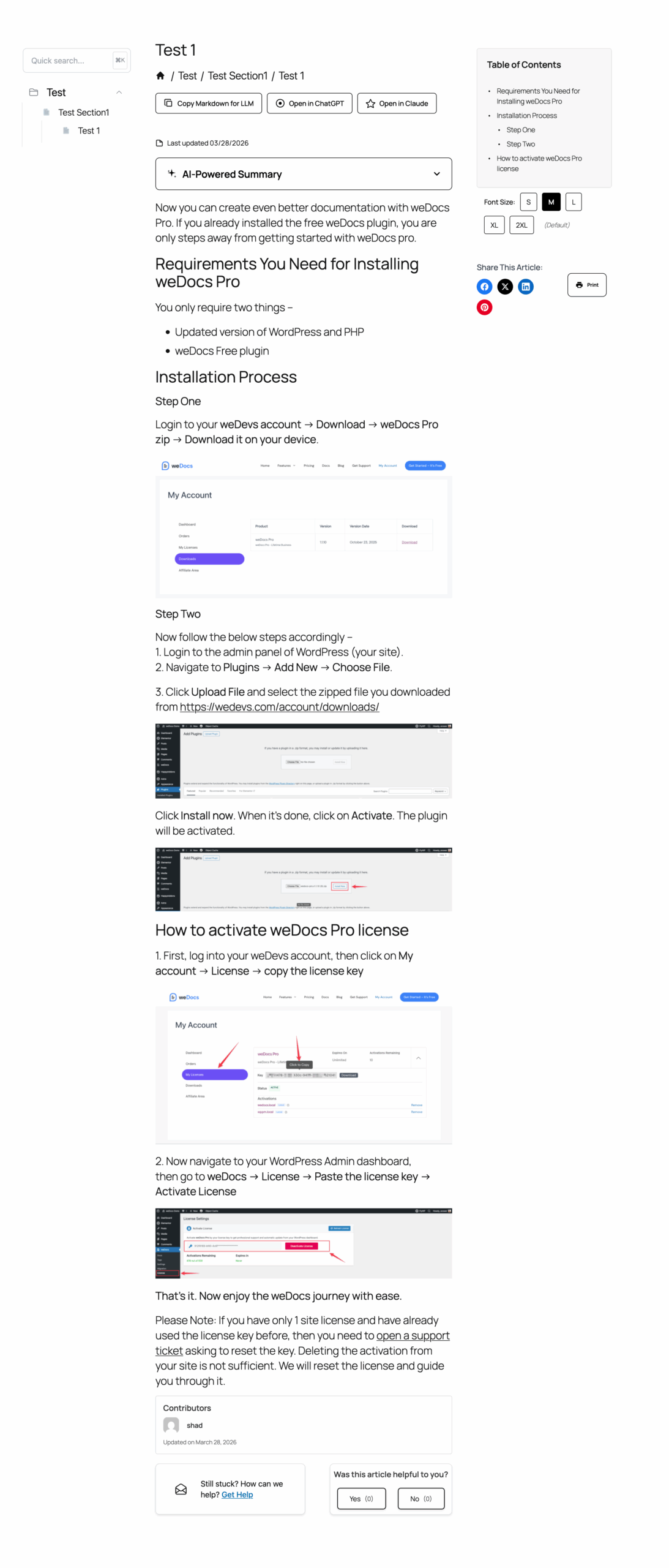
This is how you can use the Gutenberg blocks to customize the single documentation page.
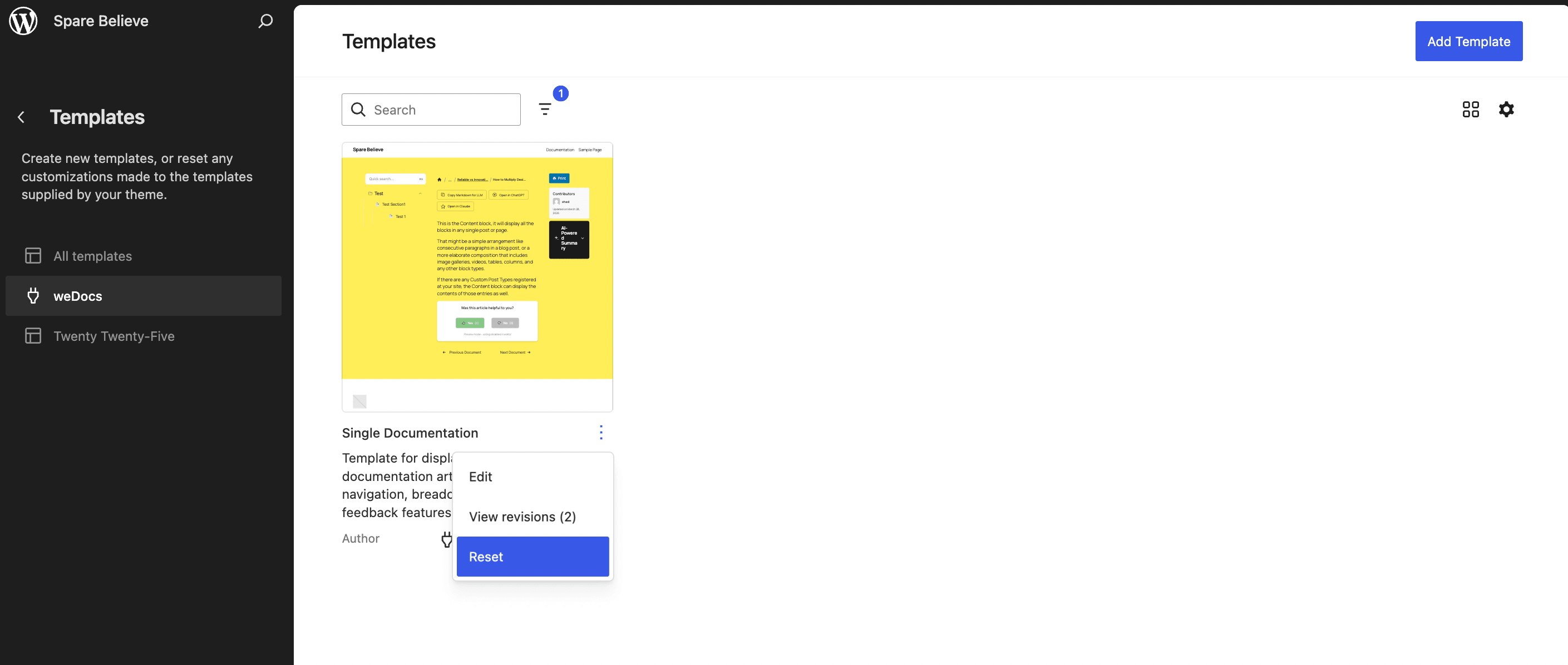
Note: If you somehow delete the default template, you can easily reset the template by going to the templates section from your theme and click on the Reset button-
Last updated on
Filed under weDocs
Our support team can walk you through it.