



weDocs Live Search
Instant Answers, Effortless Knowledge Base
Seamlessly integrate real-time search into your weDocs documentation to empower users
and streamline support.
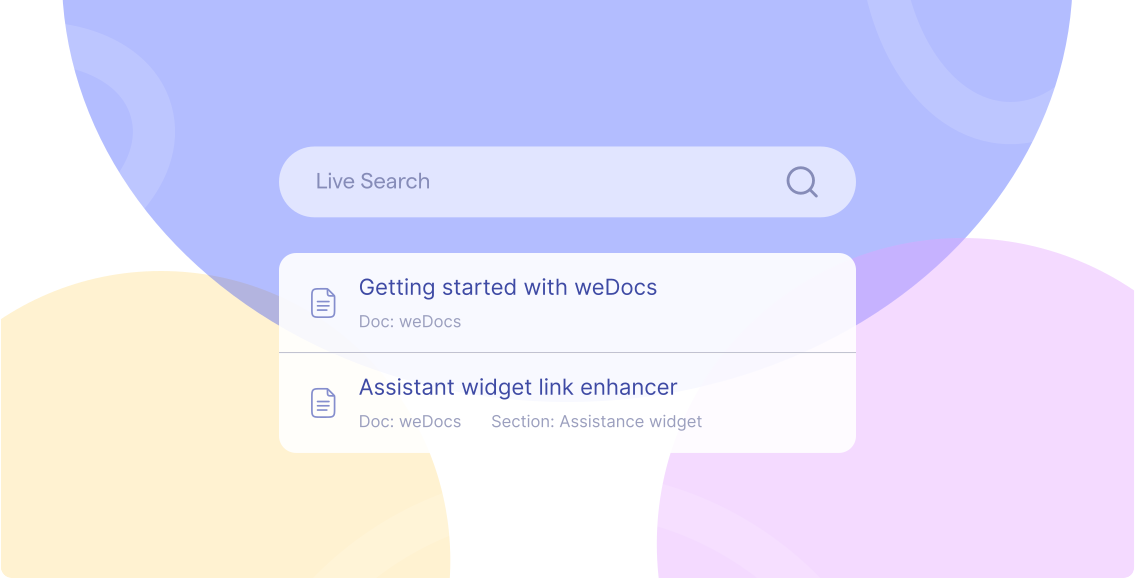
Find It Fast with Live Search
Upgrade your knowledge base with a real-time, dynamic search that
matches user intent and improves engagement.

Instant Results
Address every customer inquiry and sales opportunity quickly, day or night.
This responsiveness boosts satisfaction and drives sales.Reduced Support Queries
Users quickly find answers themselves, freeing your team to focus on complex issues.
Superior UX
Clean, dynamic results create a smooth, modern search experience.
Smart Matching
Intelligent algorithms understand queries, delivering precise, relevant answers.
Instant Search, Instant Results
weDocs ensures your store doesn’t just sell products; it
supports every step of the customer journey.

Instant Information Retrieval
As users type, relevant articles, guides, and FAQs appear instantly, helping them find answers quickly without any wait.

Drastically Reduce Support Queries
When users can easily find answers, basic support tickets drop, allowing your support team to focus on more complex issues and improving overall efficiency.

Superior User Experience
Give your audience a seamless and easy-to-use search experience, helping them find information quickly. This boosts satisfaction and drives more engagement with your documentation.

Boosted Productivity for Everyone
For both users looking for quick answers and your team managing the knowledge base, fast and easy access to information leads to improved productivity.

Seamless Integration with weDocs
If you’re already using weDocs for your documentation, adding Live Search is quick and easy. It integrates seamlessly with your current setup, boosting the value of your existing investment.

Saran kumar
(@sarankumar)
Great Plugin (weDocs) Perfectly
Fitting. Plugin works well.
Key Features for a Smarter Knowledge Base

Real-time Suggestions
Dynamic results populate as soon as the user starts typing, guiding them to the right content quickly.

Intelligent Matching
Smart algorithms understand context and user intent, delivering more precise and relevant answers.

Optimized Performance
Engineered for speed, ensuring a smooth and responsive experience even with extensive documentation libraries.

Customizable Interface
Easily adjust the look and feel to seamlessly match your brand’s aesthetics and user interface.

Simple Implementation
Get up and running quickly with minimal configuration, especially for existing weDocs users.
Frequently Asked Questions
How can I create new documentation?
Creating new documentation in weDocs is quite simple. Just navigate to the 'Docs' menu in your WordPress dashboard and click on 'Add New'. Then give a title and that’s all. You have successfully created new documentation in weDocs.
Can I customize the appearance of my documentation?
Yes, weDocs provides customisable themes and templates that you can use to match the branding of your website. You can also use your templates to create a unique documentation style.
Can I export my documentation?
Currently, weDocs allows you to export your documentation in XML format. This XML export enables you to import them back into weDocs also. We are actively working on adding support for exporting documentation in PDF and HTML formats in future updates.
How can I enable user feedback and comments on my documentation?
With weDocs, you can enable user feedback and comments on your documentation. Simply activate the comments feature in WordPress and users will be able to leave comments and provide feedback on your documentation pages.
Can I customize the URL structure of my documentation pages?
Yes, weDocs allows you to customize the URL structure of your documentation pages. You can set up custom permalinks and choose a URL structure that suits your requirements, making it easier for users to navigate through your documentation.