


How to preview documentation in weDocs
WordPress documentation management is getting easier with weDocs. After you complete any doc in WordPress, you can easily preview it. Check out now!
- weDocs
- Updated Aug 14, 2023
- 1 min read

WordPress documentation management is getting easier with weDocs. After you complete any doc in WordPress, you can easily preview it. Check out now!
With the WordPress documentation manager – weDocs, you can easily create, delete, edit, and do more to rearrange your knowledge base system.
After you create documentation, you may need to preview it to see whether it’s okay or not. Yes, with weDocs, you can easily do that by following a simple step.
Let’s learn how to do it:
To preview documentation click on the Dashicon beside the documentation like the below screenshot:
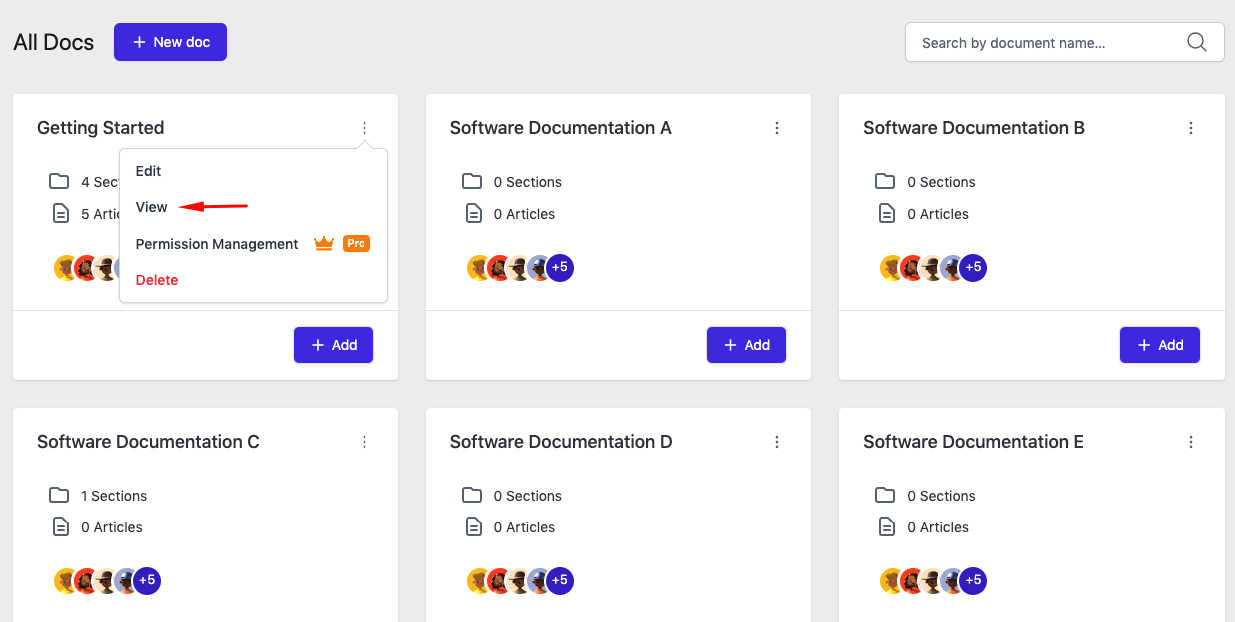
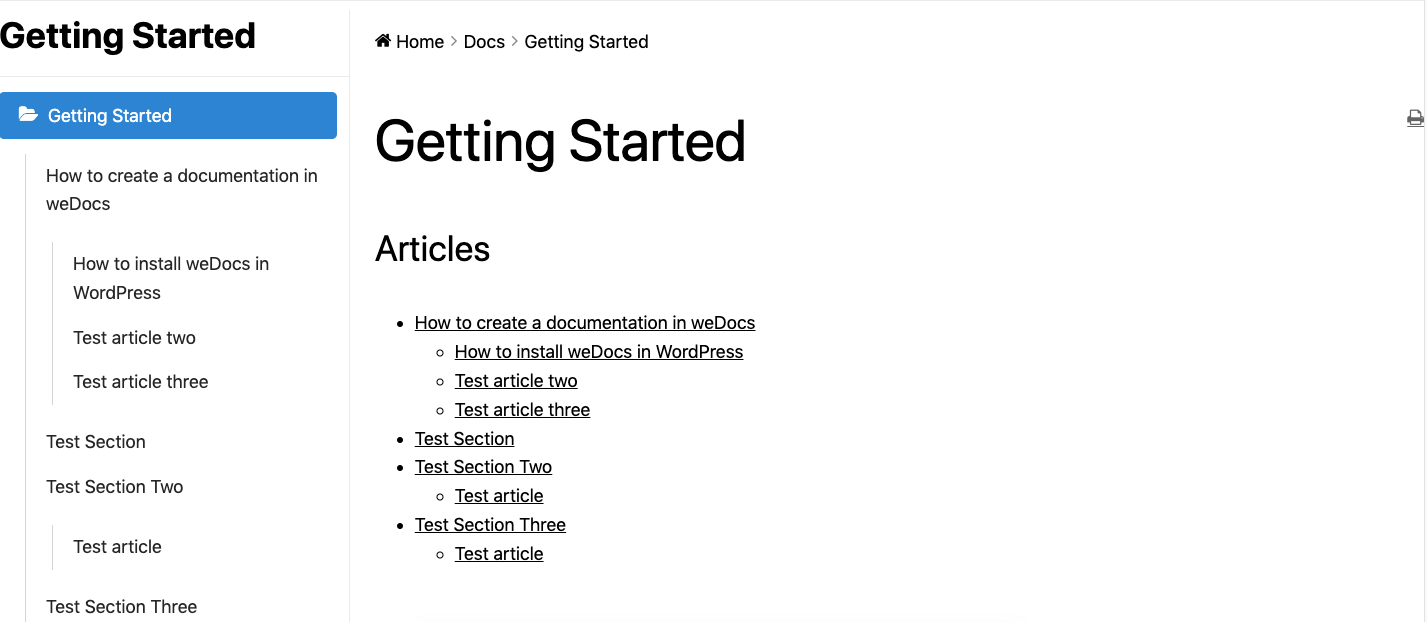
You will be able to see the preview in the front:
Open the main documentation and then hover your cursor on the section’s title. You’ll get an option “open in a new tab”. Then click on it!
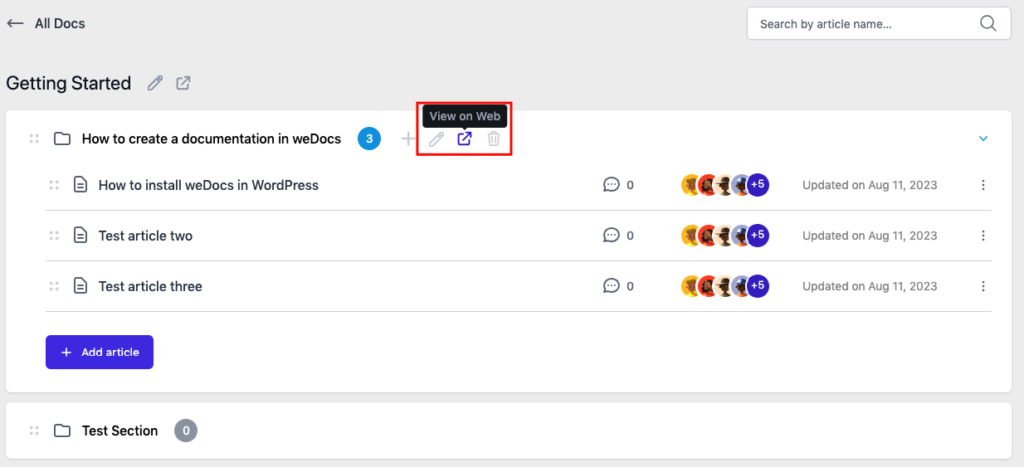
Here is the frontend preview of the section:
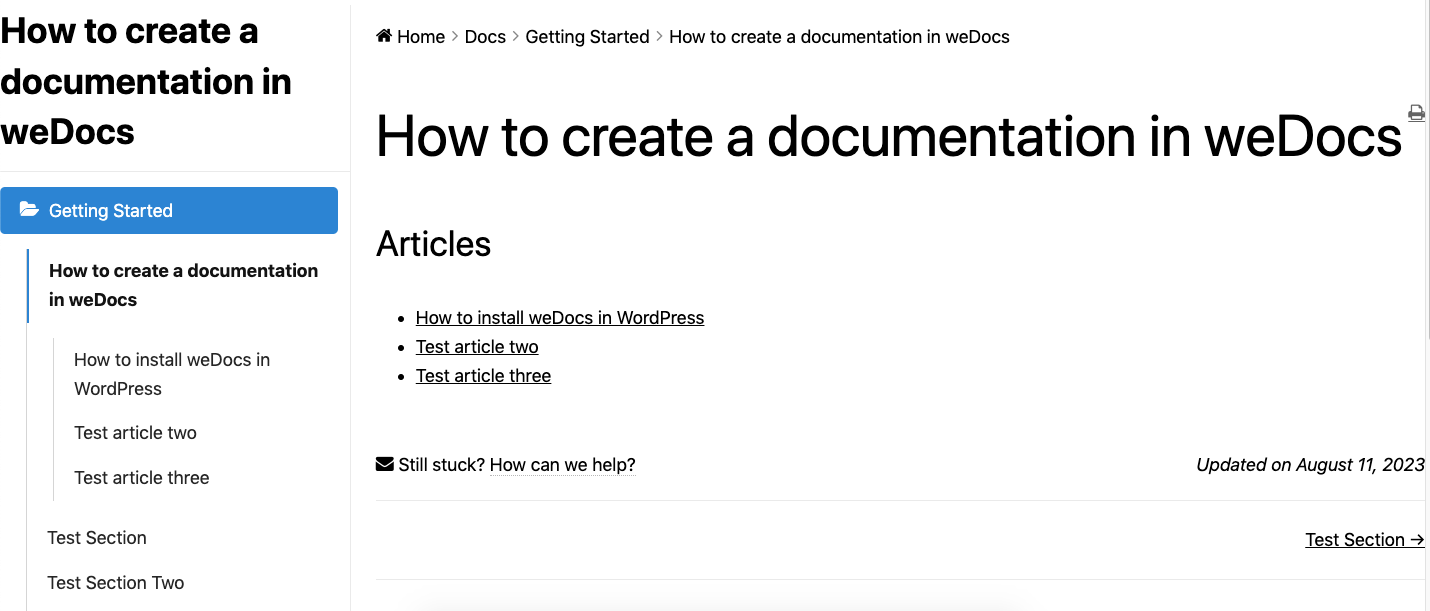
To preview a section again click on the Dashicon beside the article,
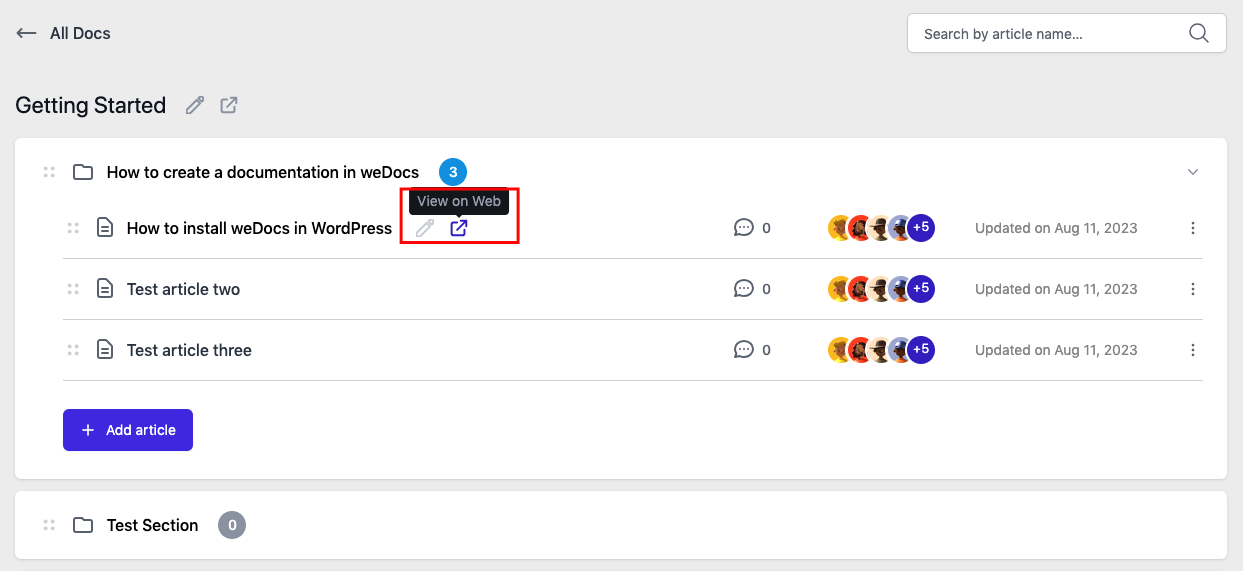
The final preview of the article:
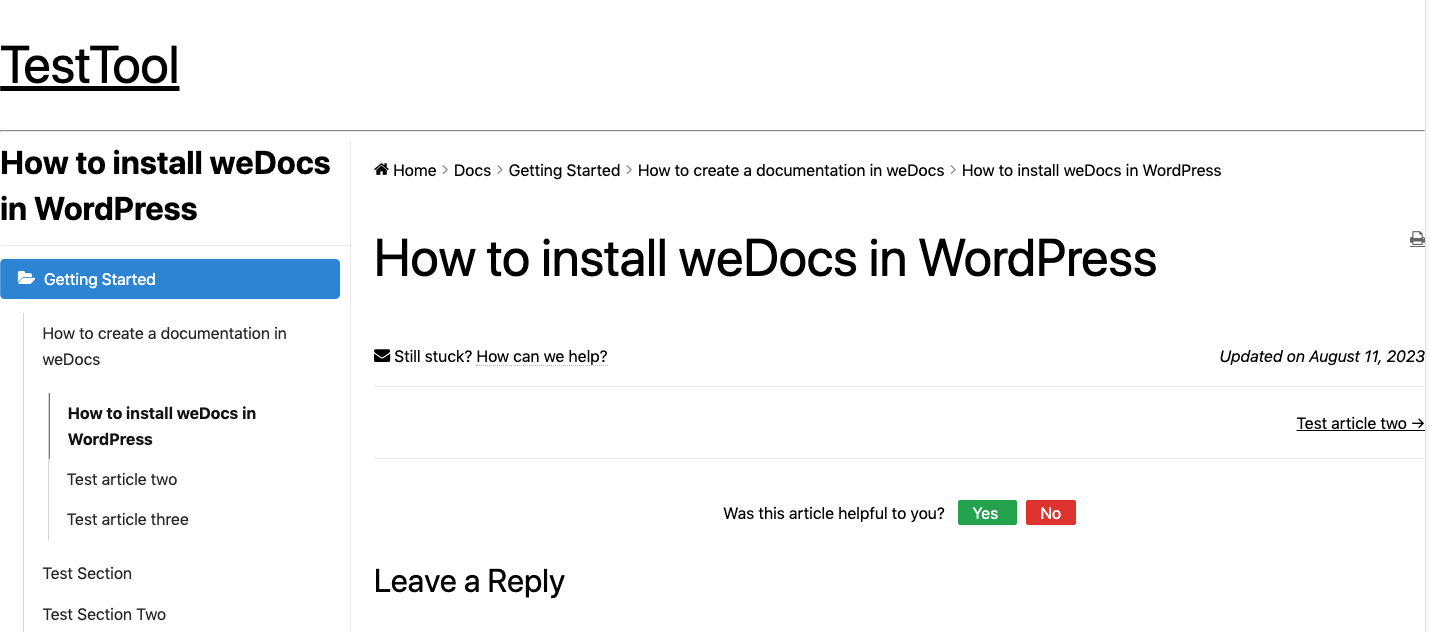
This is how you can preview all the content of your documentation using weDocs.
Last updated on
Filed under Tutorials
Our support team can walk you through it.