


How to create an article
This documentation shows how to create articles using the WordPress docs plugin - weDocs in your website. Check it out for getting a brief idea!
- weDocs
- Updated Sep 29, 2023
- 1 min read

This documentation shows how to create articles using the WordPress docs plugin - weDocs in your website. Check it out for getting a brief idea!
Like sections, you can create articles under each section. But keep in mind to rearrange them accordingly to get the maximum output.
Check out our previous documentation to learn how to create a section in the WordPress documentation plugin.
For your help, here’s the structure of the entire documentation. It’s easy and simple to create an article.
Follow the process below step-by-step to create an article using the WordPress document manager – weDocs.
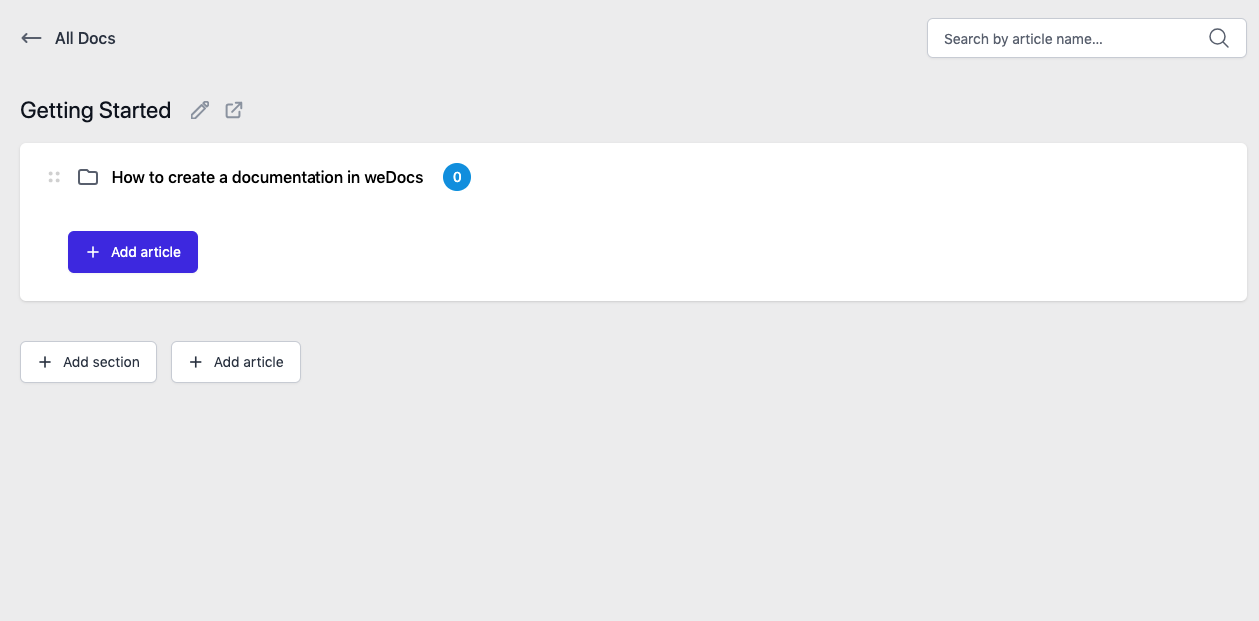
Enter the main documentation folder. And click on the “Add article” button.
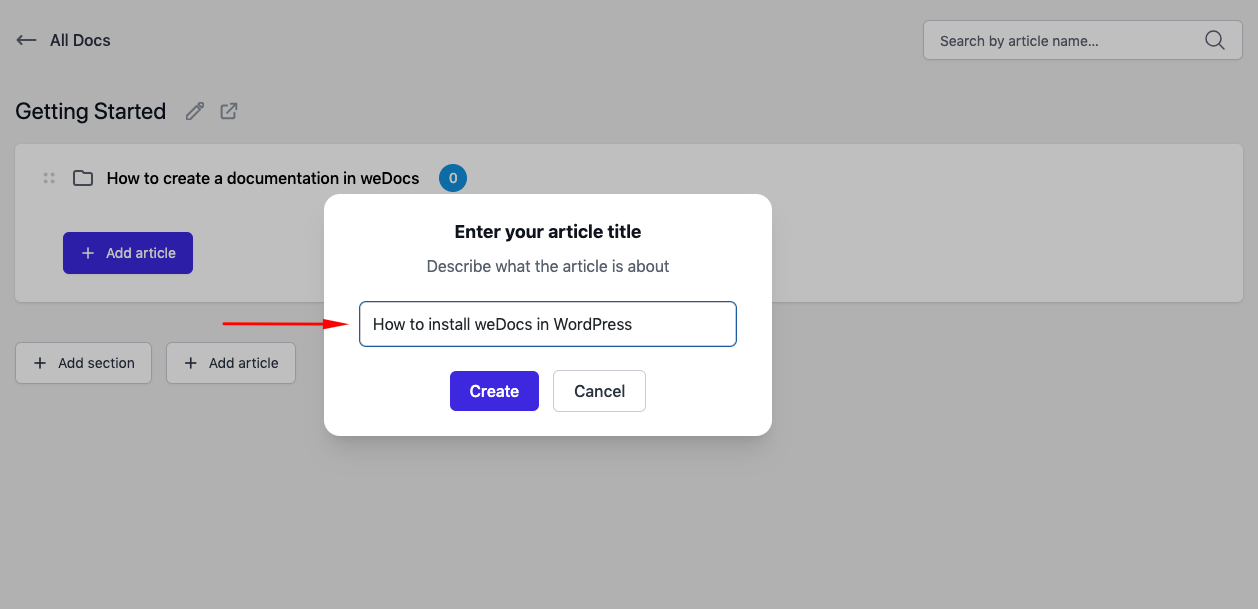
After you click on the button, you’ll get a popup window to provide your article title. Then hit the “create” button.
You can see the article is appearing under your preferred WordPress documentation.
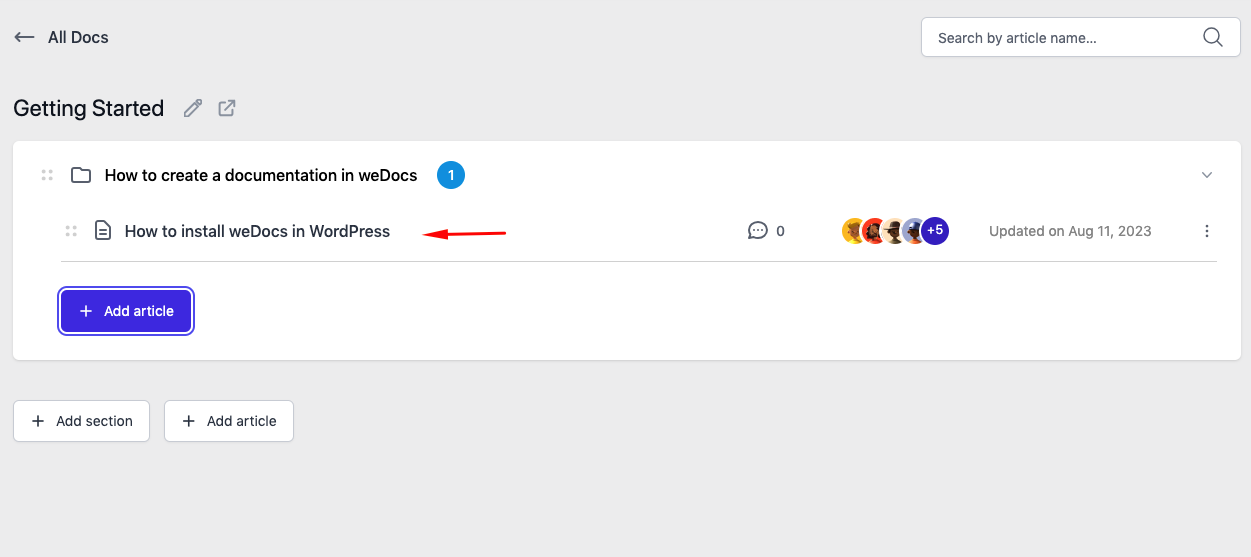
Now enter into the article clicking on it, and fuel it with your knowledgebase information. So this is how you can easily create an article using the WordPress docs plugin.
Last updated on
Filed under Tutorials
Our support team can walk you through it.