


How to change the parent in weDocs
If you want to change the parent doc of any articles, then this tutorial will help you to do that with the WordPress documentation plugin - weDocs!
- weDocs
- Updated Nov 5, 2025
- 1 min read

If you want to change the parent doc of any articles, then this tutorial will help you to do that with the WordPress documentation plugin - weDocs!
You can create unlimited articles inside a single section and those sections act as the parent doc to those articles. By using the WordPress documentation plugin – weDocs, you can easily do that to rearrange your articles.
Let’s learn step-by-step how to do that:
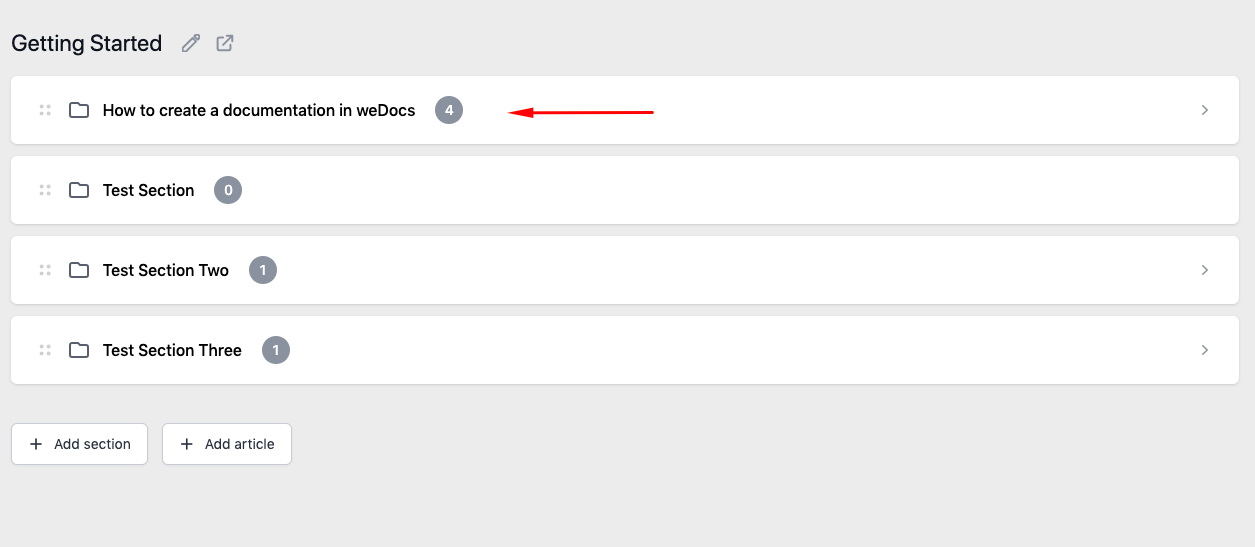
To change the parent doc, click on the section you want to change its parent doc.
Now, in the left-hand side menu under Page Attributes, you will find the Parent Doc option.
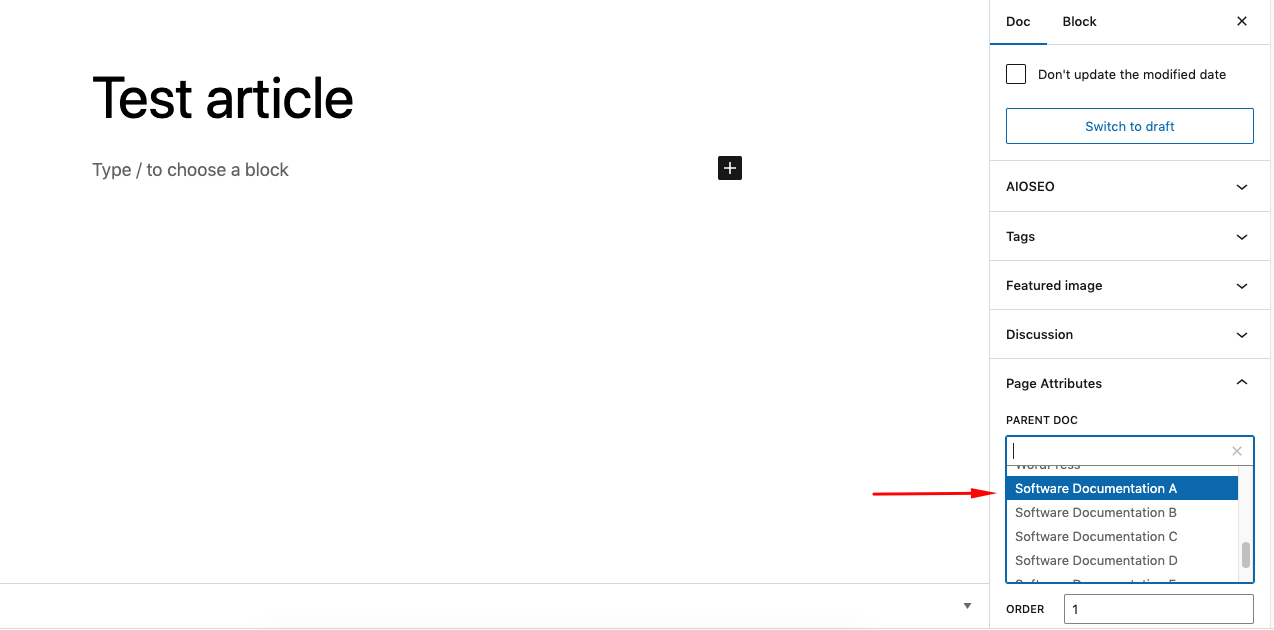
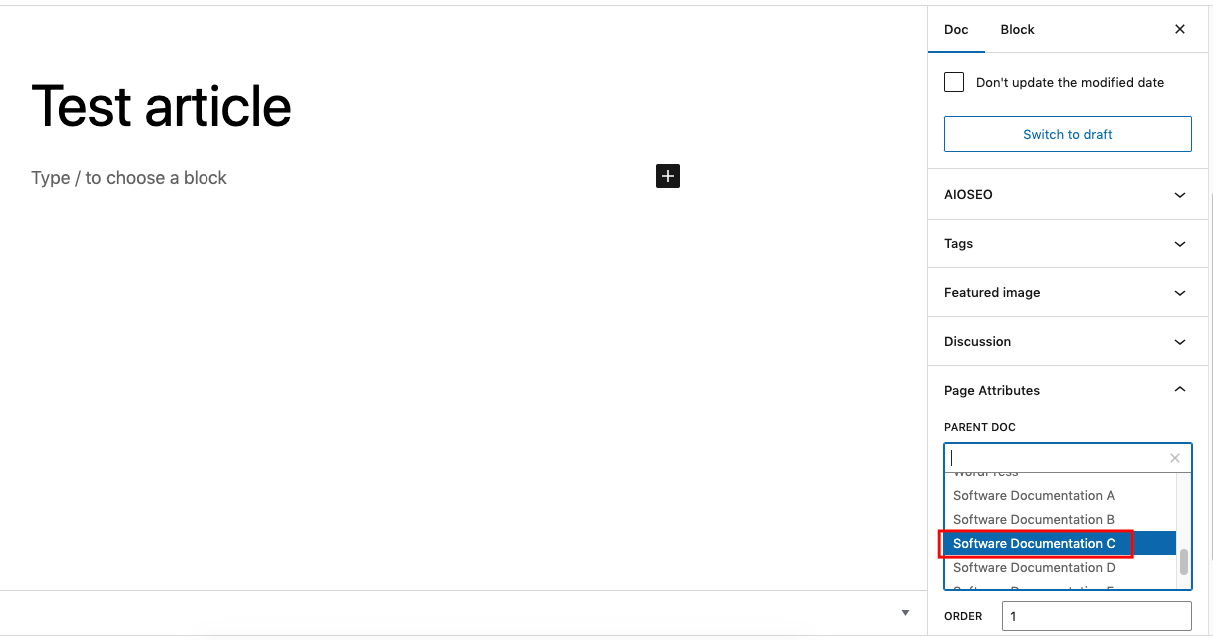
Now, choose the new parent section you want to place that particular doc:
Update the article and you will that this article has a new parent doc in the weDocs dashboard under Software Documentation C.
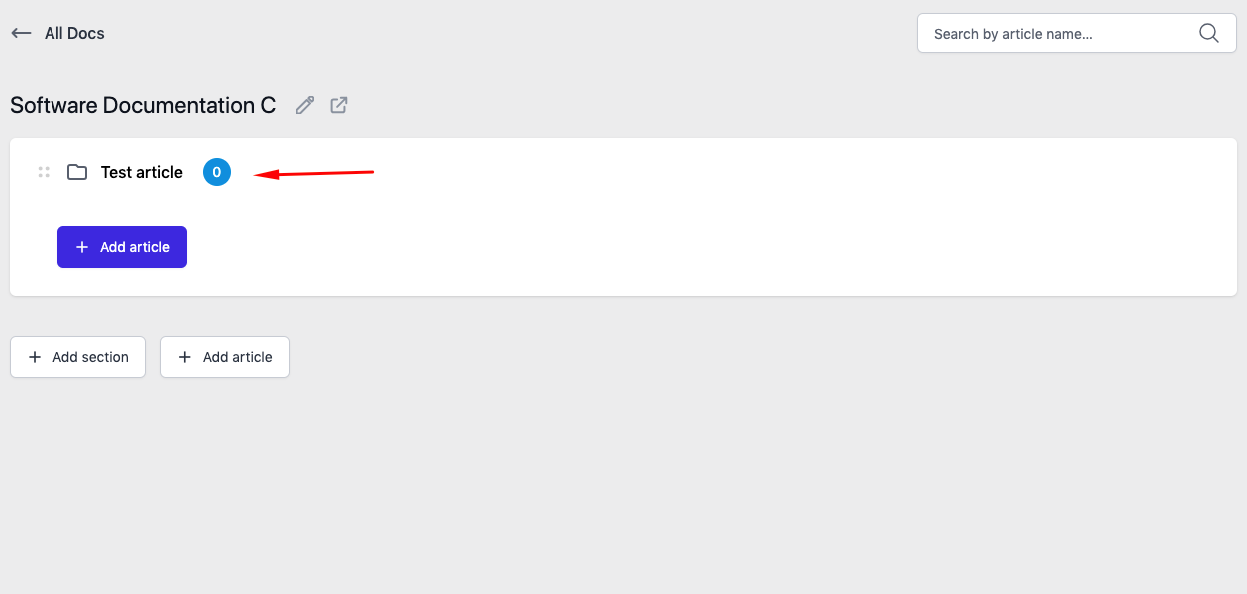
This is how you can easily change the parent doc of any article and manage your documentation easily.
Last updated on
Filed under Tutorials
Our support team can walk you through it.