


Social Share
- weDocs Pro
- Updated Nov 3, 2025
- 1 min read

The Social Share feature in weDocs allows readers to easily share your documentation articles across popular social media platforms. With share buttons displayed under every article, users can instantly spread helpful content with just one click, enhancing your documentation’s visibility and engagement.
Before you begin, make sure you have the following plugin installed and activated:
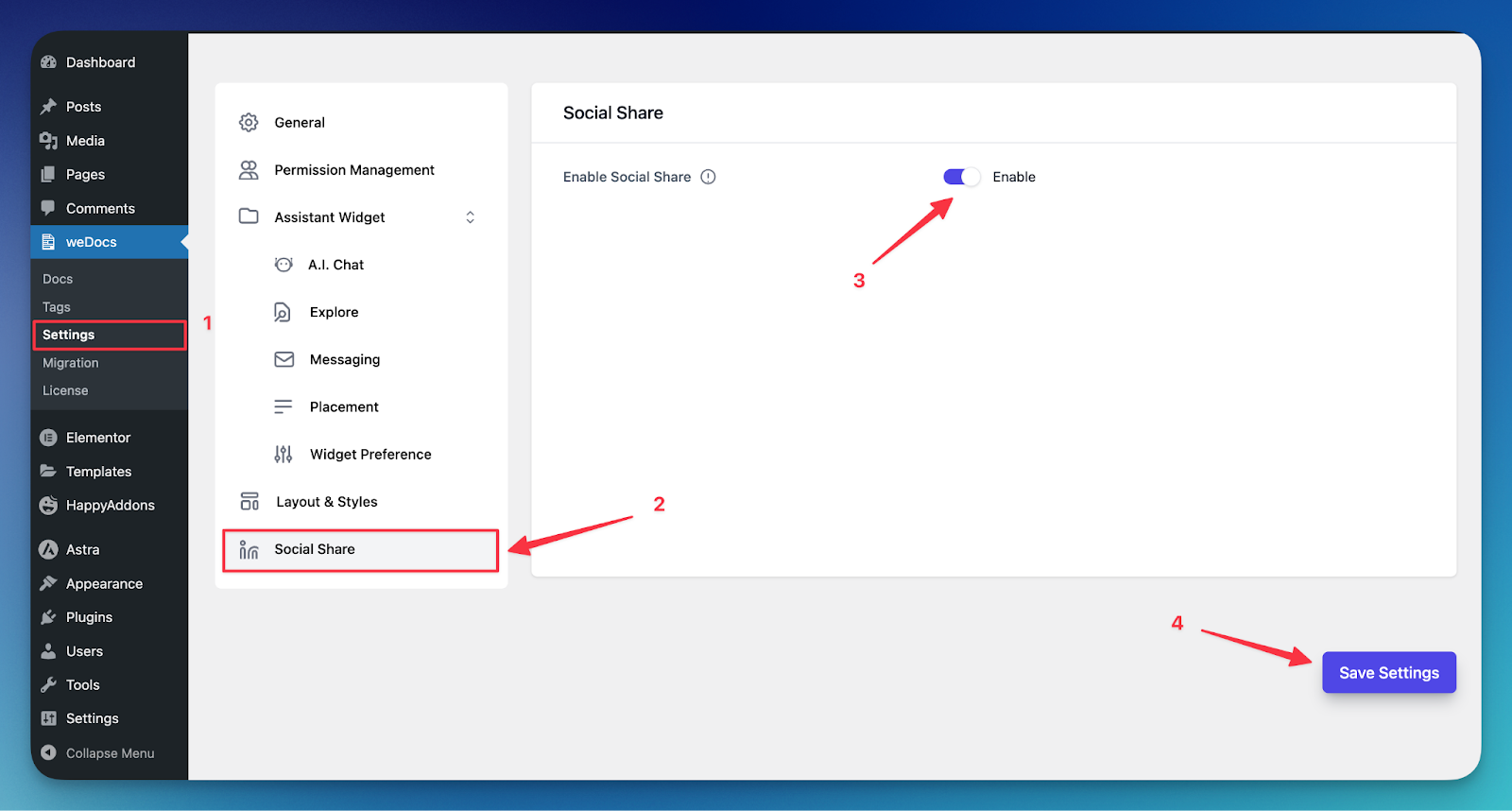
Follow the steps below to enable the Social Share feature in weDocs:
Once enabled, the selected social media buttons will appear under every documentation article, allowing readers to share content directly.
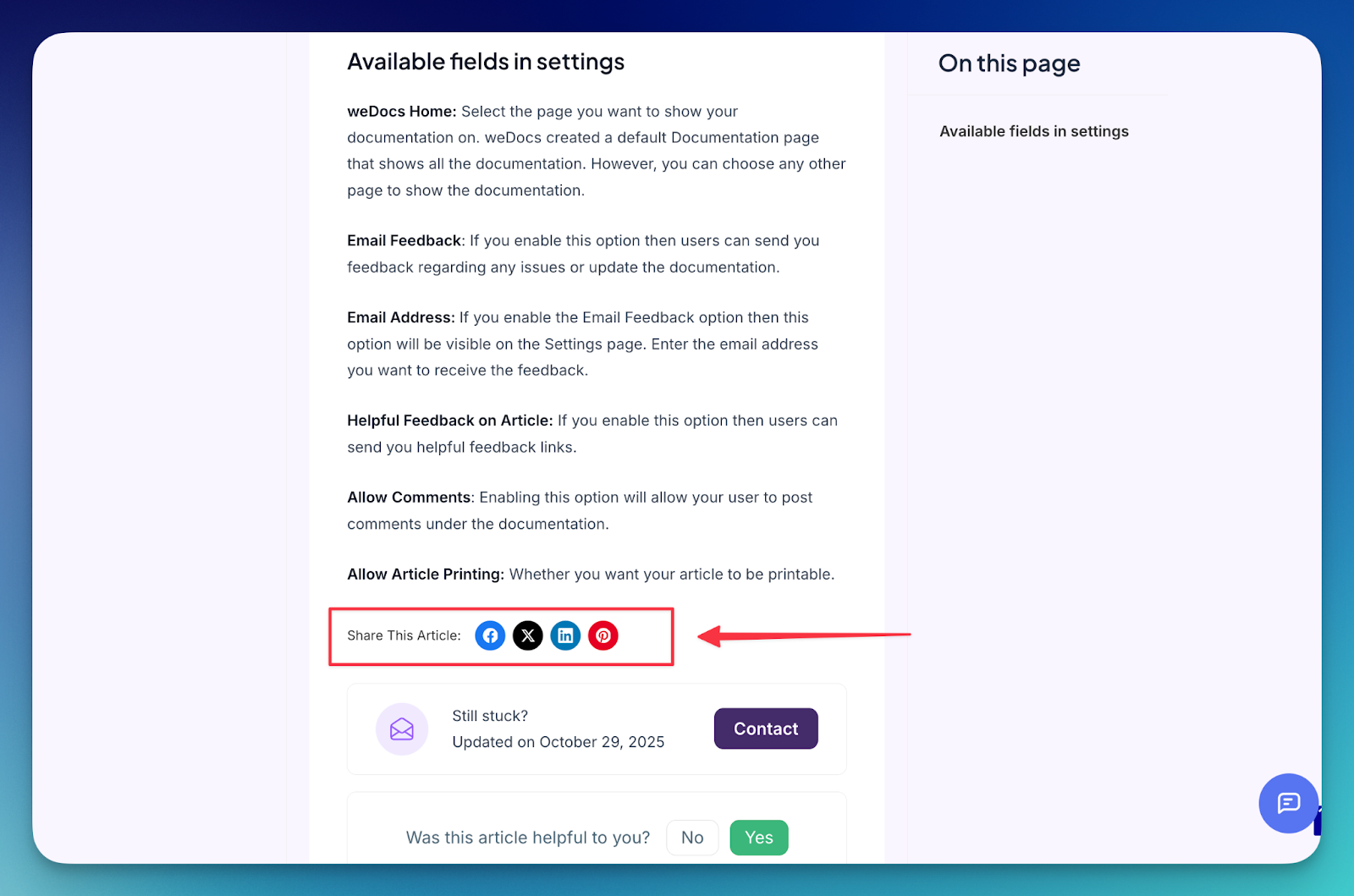
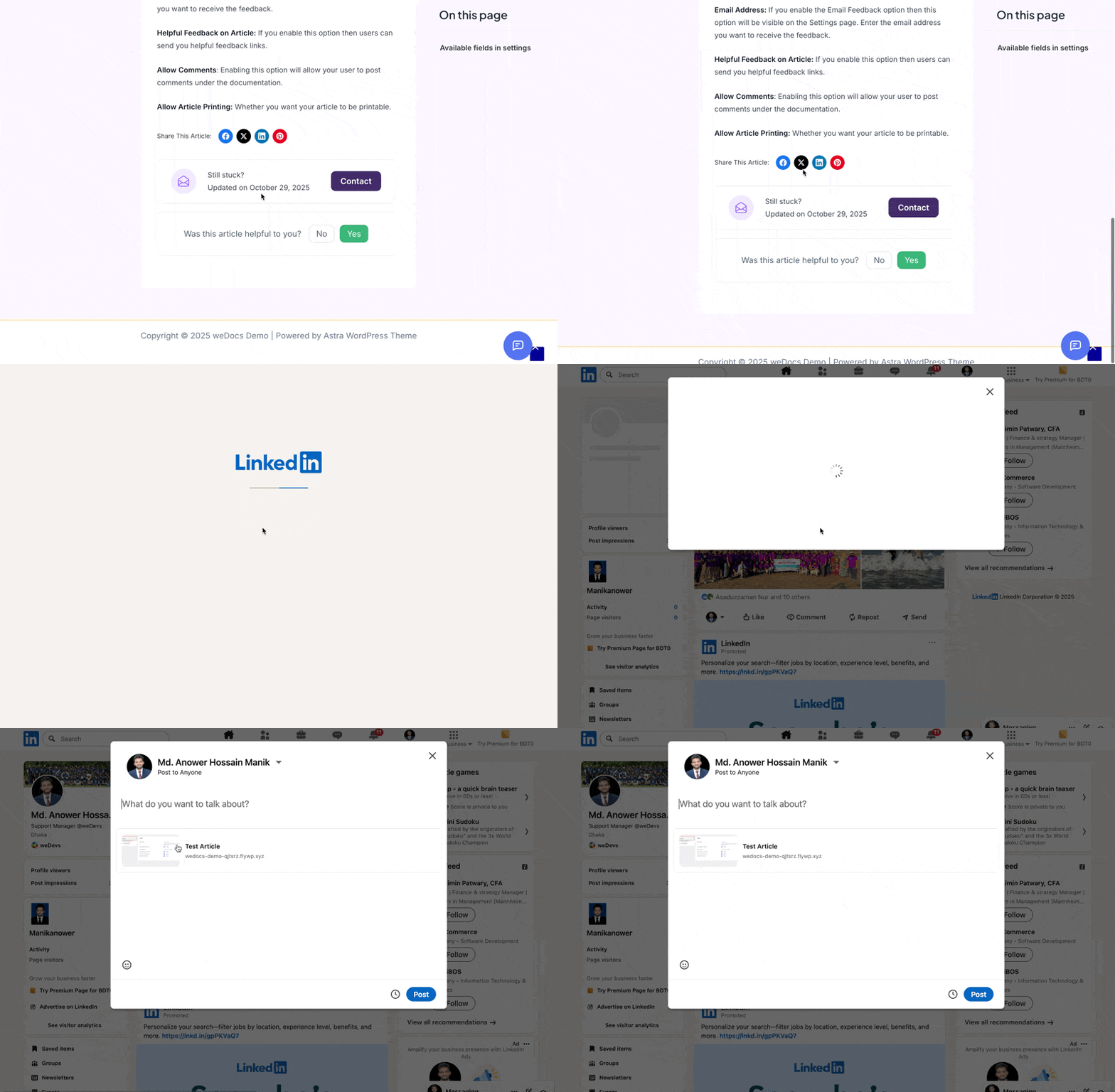
Output:
Last updated on
Filed under weDocs Pro
Our support team can walk you through it.