


How to install weDocs Pro plugin
- weDocs Pro
- Updated Feb 27, 2026
- 1 min read

Now you can create even better documentation with weDocs Pro. If you already installed the free weDocs plugin, you are only steps away from getting started with weDocs pro.
You only require two things –
Login to your weDevs account → Download → weDocs Pro zip → Download it on your device.
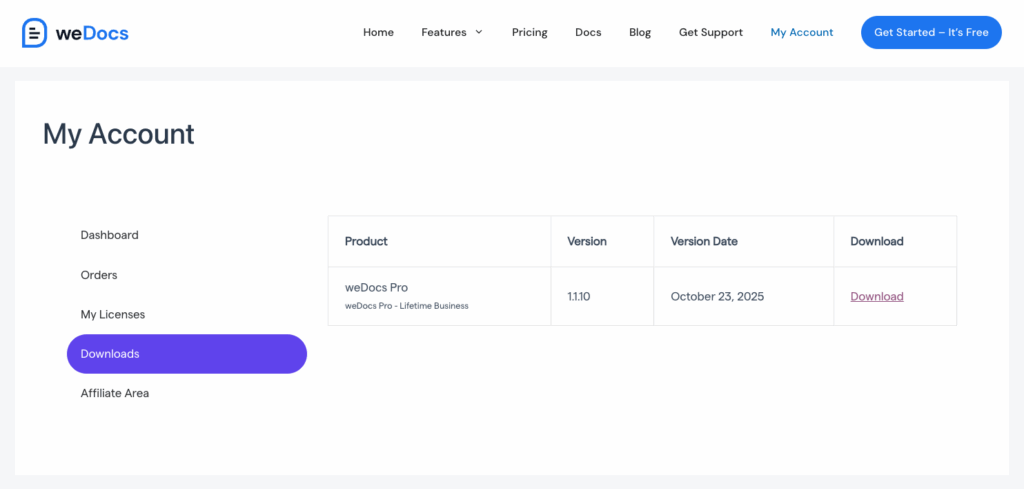
Now follow the below steps accordingly –
1. Login to the admin panel of WordPress (your site).
2. Navigate to Plugins → Add New → Choose File.
3. Click Upload File and select the zipped file you downloaded from https://wedevs.com/account/downloads/
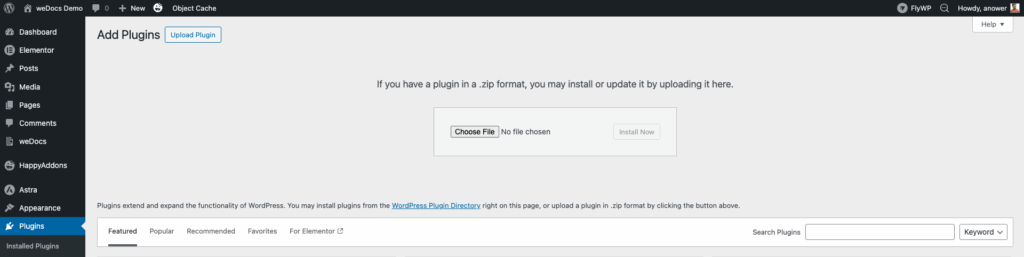
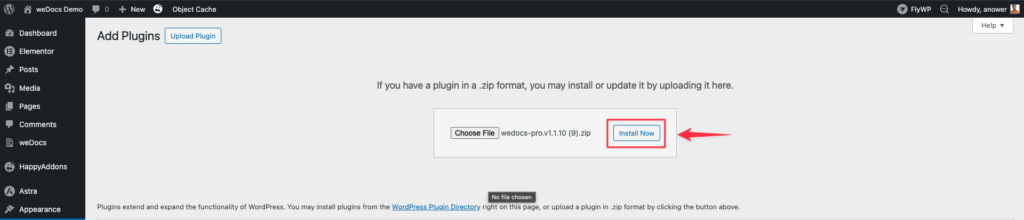
Click Install now. When it’s done, click on Activate. The plugin will be activated.
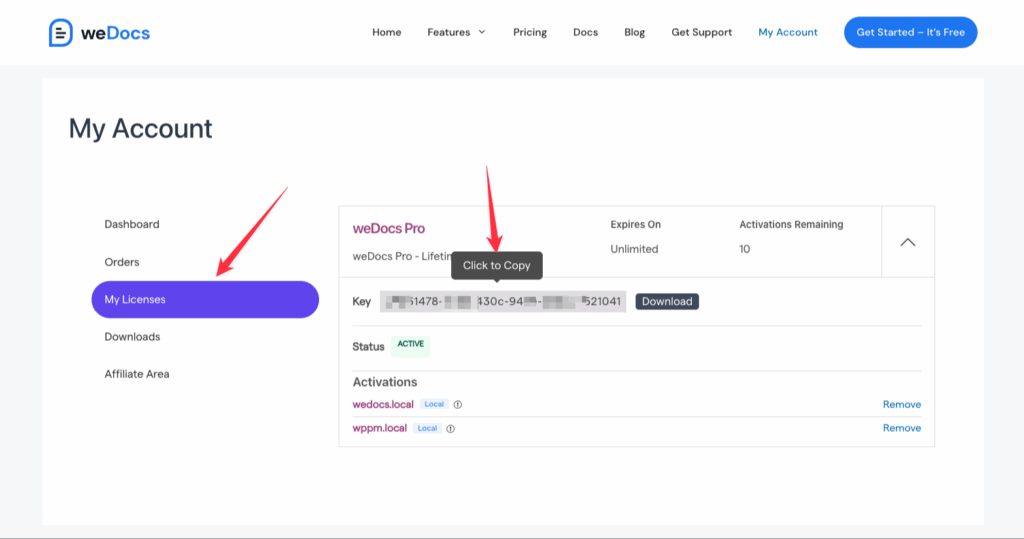
1. First, log into your weDevs account, then click on My account → License → copy the license key
2. Now navigate to your WordPress Admin dashboard, then go to weDocs → License → Paste the license key → Activate License
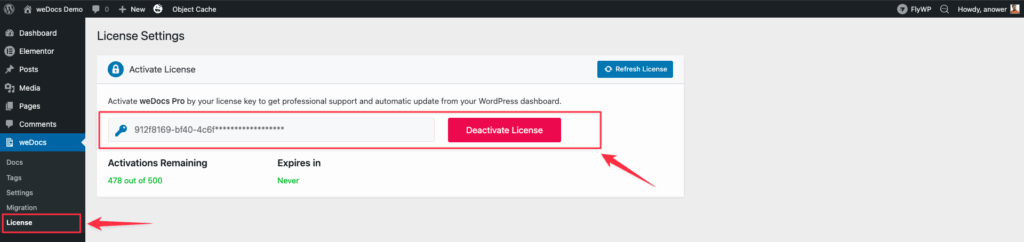
That’s it. Now enjoy the weDocs journey with ease.
Please Note: If you have only 1 site license and have already used the license key before, then you need to open a support ticket asking to reset the key. Deleting the activation from your site is not sufficient. We will reset the license and guide you through it.
Last updated on
Filed under Getting Started with weDocs Pro
Our support team can walk you through it.