


Multi-Layer (7-Level) Doc Structure
- weDocs Pro
- Updated Nov 3, 2025
- 1 min read

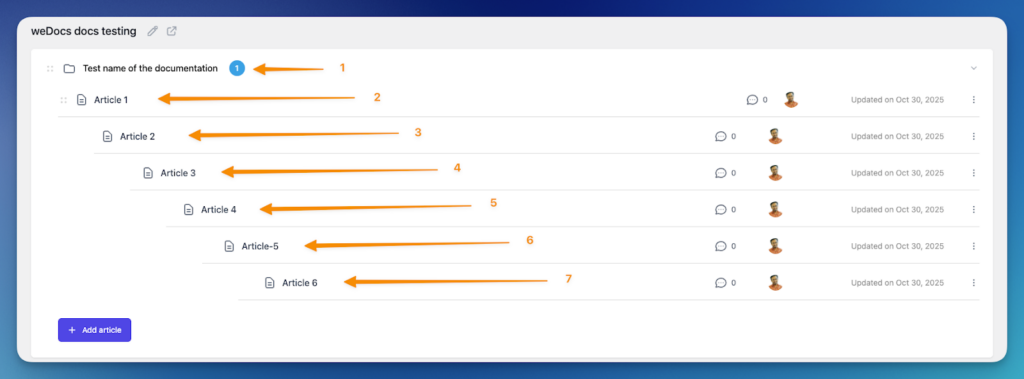
The Multi-Layer Doc Structure in weDocs allows you to organize your documentation into multiple levels, up to 7 layers deep. This feature gives you greater flexibility in structuring complex documentation sets, such as developer guides, API references, or product manuals.
With this enhancement, you can easily assign parent-child relationships between articles to build a clear, hierarchical flow that helps readers navigate through related content effortlessly.
Before you begin, make sure you have the following:
Here is the backend:
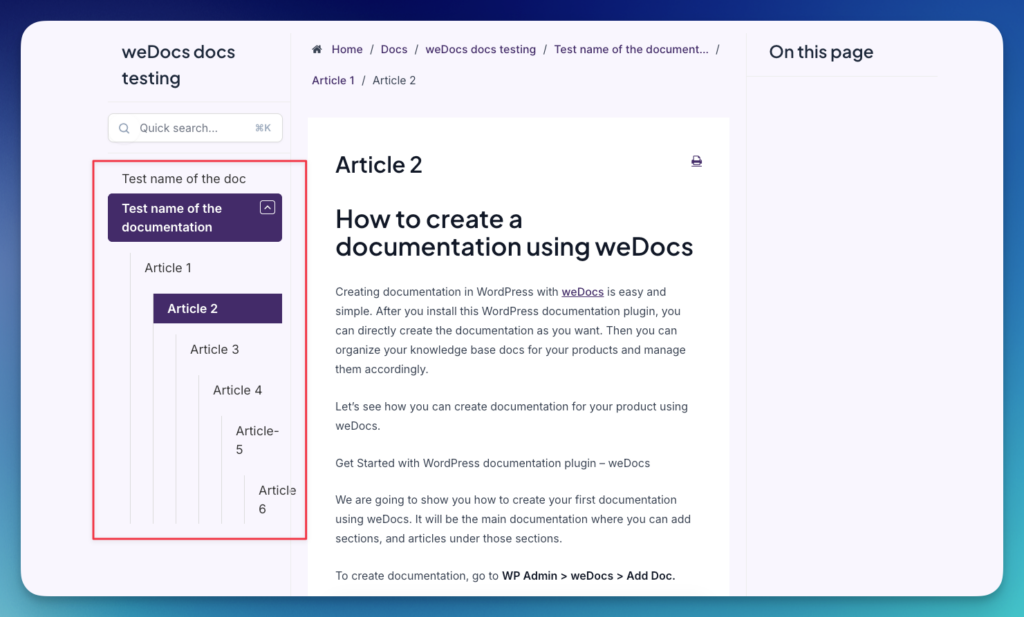
You will get similar results for Frontend. Frontend design will depend on the theme you are using. The sidebar will show the layers for sub-articles.
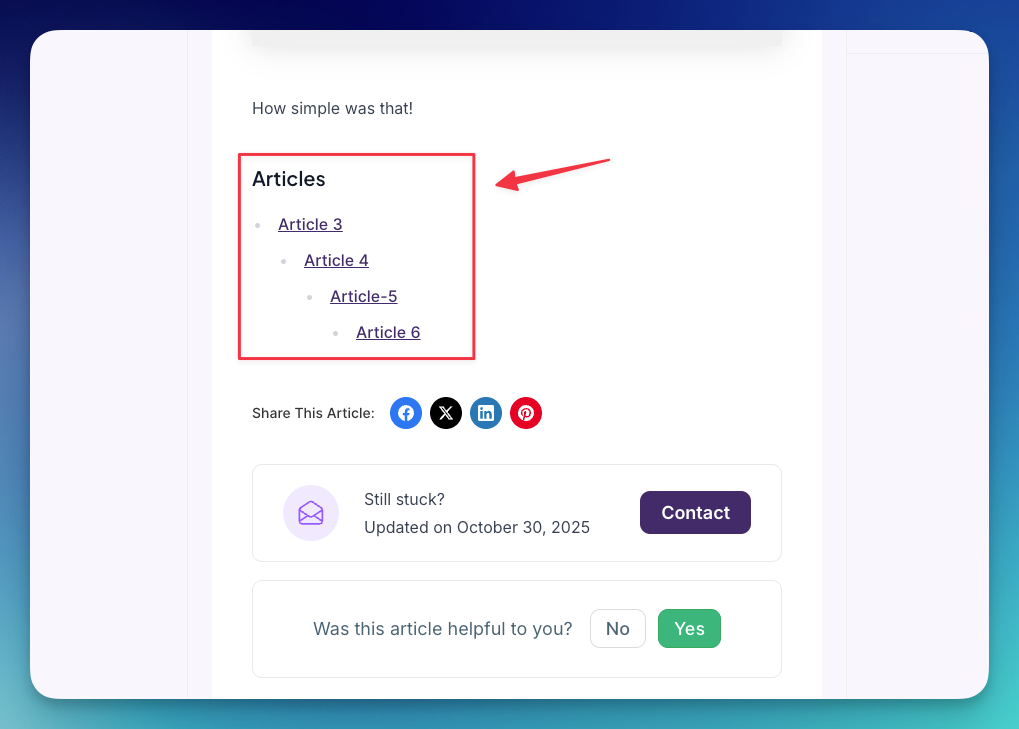
If you won’t need any sidebar, your users can control it at the end of the documentation. For example:
That’s it.
Last updated on
Filed under weDocs Pro
Our support team can walk you through it.