


Doc Duplication
- weDocs Pro
- Updated Mar 10, 2026
- 1 min read

Duplicating an existing article in weDocs allows you to quickly create a copy of any documentation page without starting from scratch.
This feature is especially useful when you want to reuse a similar structure, maintain consistent formatting, or make updates without affecting the original content. In this guide, we’ll walk you through the simple steps to duplicate an article in weDocs.
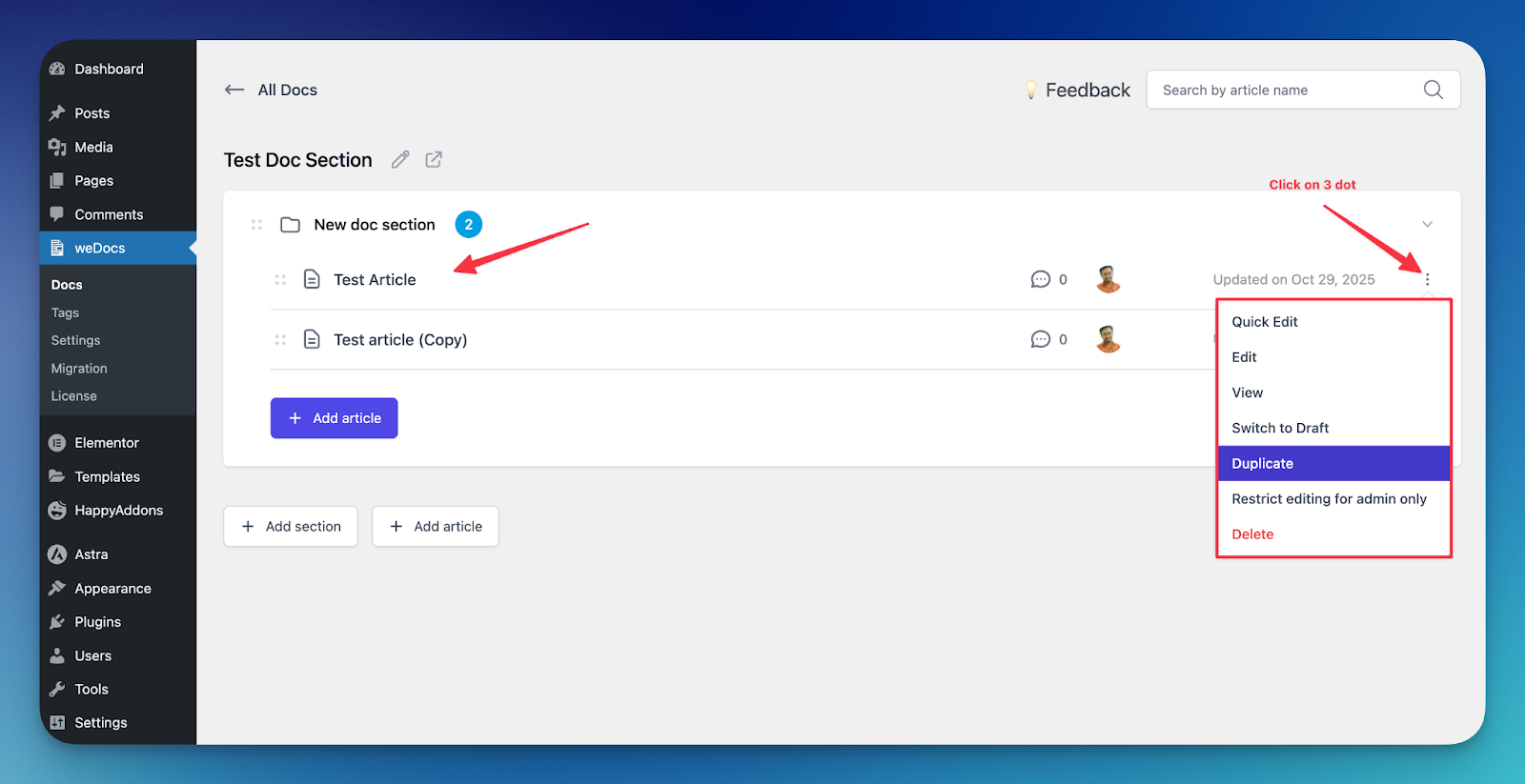
Before you begin, make sure you have the following:
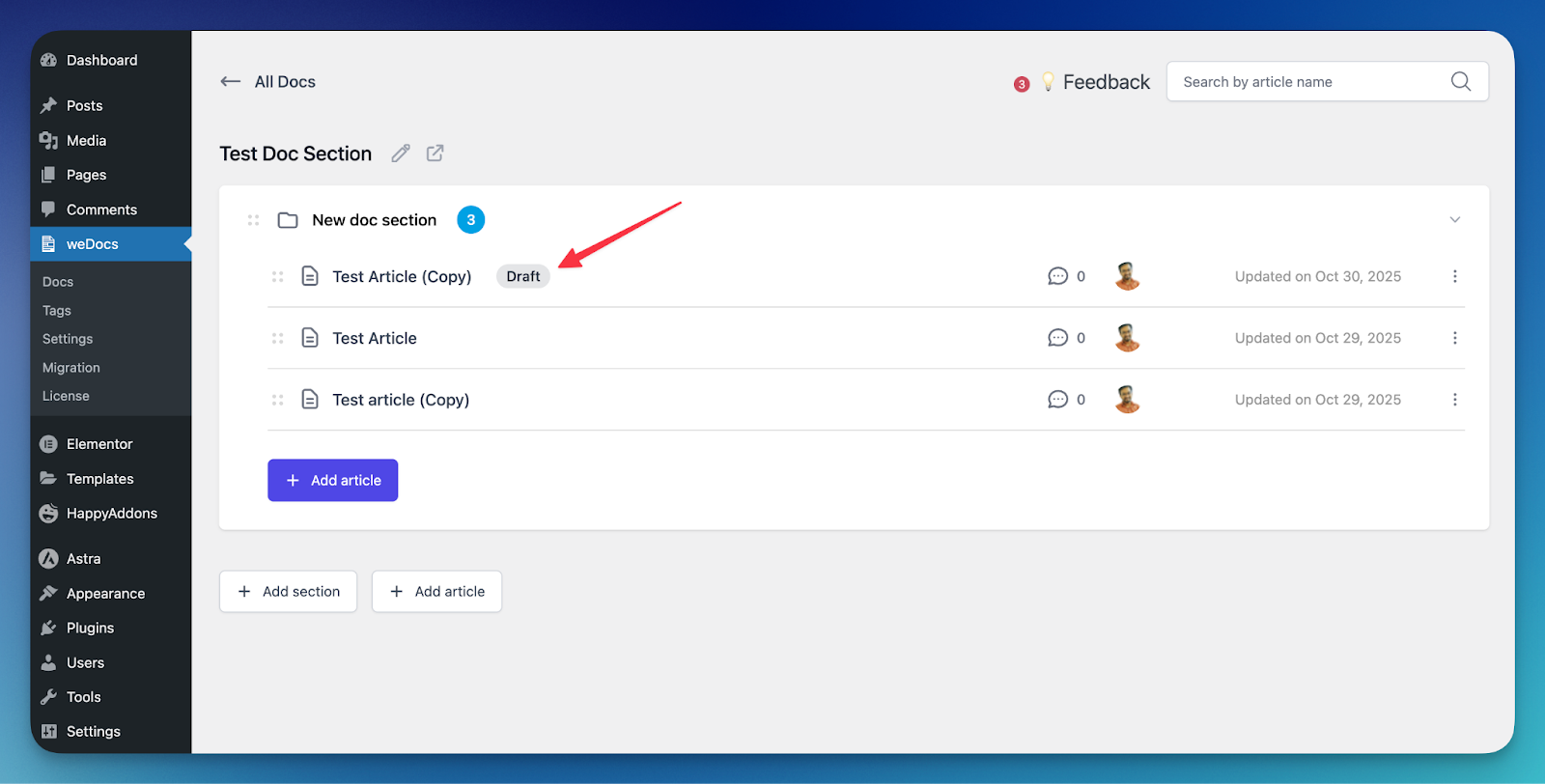
Duplicated docs will be the same as your existing doc. You can modify as per your requirement.
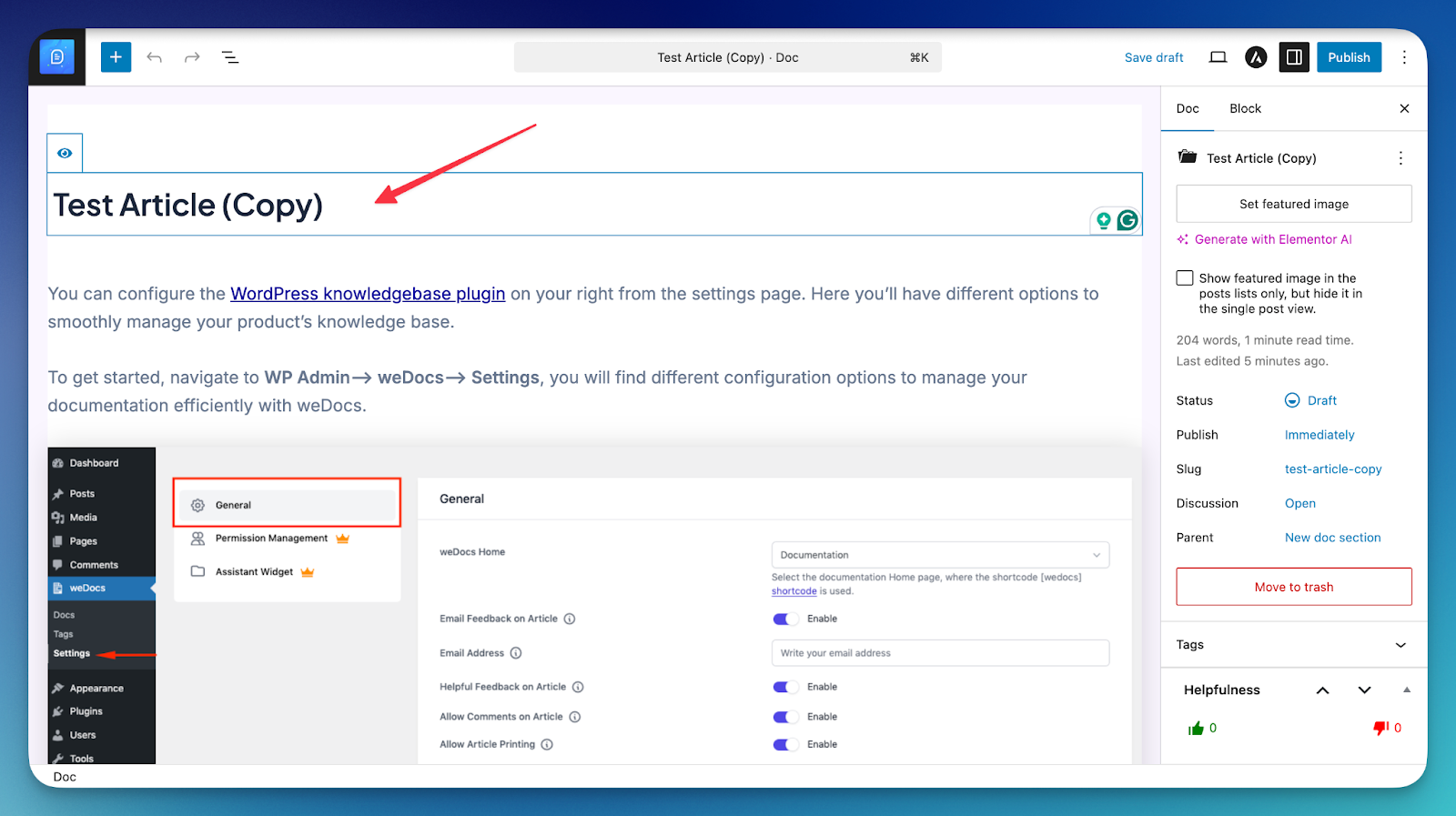
That’s it.
Last updated on
Filed under weDocs Pro
Our support team can walk you through it.